
Every photo tells a story — a breathtaking sunset, a heartfelt family moment, or a cherished memory frozen in time. But what if those still images could come alive? Imagine clouds gently drifting across the sky, a soft breeze rustling through the trees, or the subtle sparkle of sunlight on water. With Image to Video AI, this is no longer a fantasy.
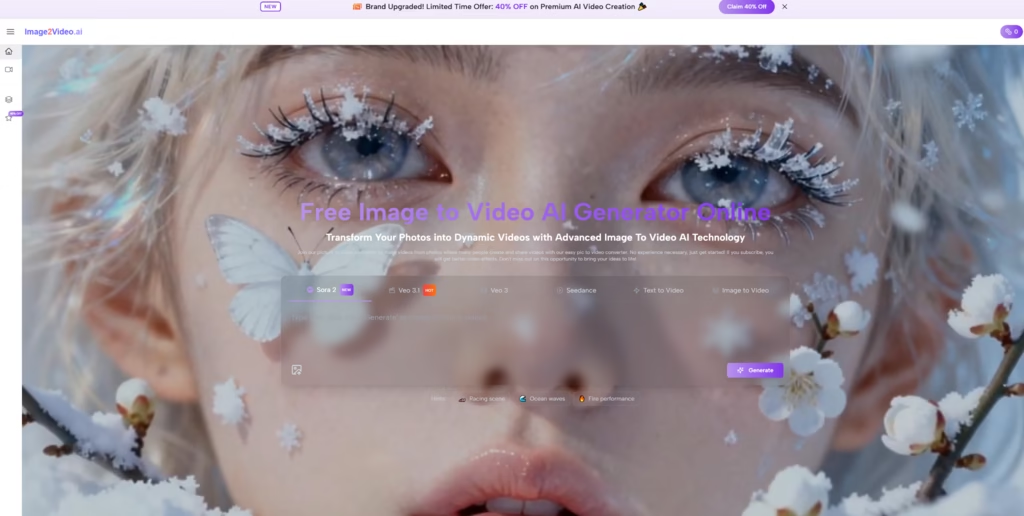
Now, with its latest upgrade, Image to Video AI has integrated Google Veo 3.1 and Sora 2, two of the most advanced AI models in the world, to push the boundaries of creativity and realism. This cutting-edge technology transforms your still photos into dynamic, lifelike videos, giving your memories a whole new dimension. Whether you’re a content creator, a business owner, or simply someone who loves reliving their favorite moments, Image to Video AI makes it effortless to bring your photos to life.
The Power of Advanced AI Models
The integration of Google Veo 3.1 and Sora 2 sets Image to Video AI apart as a leader in photo animation. These state-of-the-art models bring a new level of sophistication, enabling the platform to deliver unparalleled results:
1. Google Veo 3.1: Precision in Motion
Veo 3.1 is celebrated for its groundbreaking motion prediction capabilities. It can analyze the smallest details in your photos and create animations that mimic real-world physics, such as rippling water, flowing hair, or gently swaying grass.
2. Sora 2: Artistic Mastery
Sora 2 enhances the emotional and visual impact of your videos by adding dynamic lighting, texture refinement, and mood-based adjustments. Whether you want to transform a daytime scene into a glowing sunset or add cinematic depth to a portrait, Sora 2 ensures every video feels like a work of art.
How Image to Video AI Works
Image to Video AI makes it incredibly simple to turn your photos into videos. With just three steps, you can create professional-grade animations:
Step 1: Upload Your Photo
Choose any image you want to transform, whether it’s a landscape, a portrait, or even an old family photo. The platform supports popular formats like JPEG, PNG, and JPG.
Step 2: Describe Your Vision
Use natural language to tell the AI what you want. For example:
- “Add a soft breeze that moves the leaves and clouds.”
- “Make the water ripple and reflect the sunset.”
Step 3: Generate and Share
With one click, the AI processes your photo and creates a stunning MP4 video in seconds. Your animated masterpiece is ready to download and share.
Why Choose Image to Video AI?
Image to Video AI goes beyond traditional photo editing and animation tools by combining cutting-edge AI technology with ease of use. Here’s how it compares:
| Feature | Image to Video AI (Upgraded) | Traditional Editing Tools | Other AI Platforms |
| AI Technology | Google Veo 3.1, Sora 2 | No AI integration | Basic AI models |
| Ease of Use | Intuitive, text-based prompts | Complex, time-consuming | Varies |
| Realism | Hyper-realistic animations | Manual adjustments required | Limited realism |
| Speed | Generates videos in under 30 seconds | Hours of manual work | Slower processing |
| Affordability | Free to start | Expensive software licenses | High costs for advanced features |
Features That Set Image to Video AI Apart
With the integration of Veo 3.1 and Sora 2, Image to Video AI offers an array of powerful features designed to elevate your visual storytelling:
1. Natural and Realistic Animations
Thanks to Veo 3.1, the platform creates lifelike motion effects, such as flowing water, drifting clouds, or flickering candlelight. Every animation feels organic and seamless.
2. Artistic Enhancements
Sora 2 adds a layer of artistic brilliance, allowing you to adjust lighting, textures, and colors to match the mood you want to convey. It’s like having a professional editor at your fingertips.
3. Specialized Animation Options
- Romantic Effects: Add gentle hugs, kisses, or dances to couples’ photos.
- Vintage Photo Revival: Bring old photos to life with subtle movements, like a child’s swing or steam rising from a cup.
- Dynamic Backgrounds: Transform static landscapes into moving scenes with flowing rivers, twinkling stars, or swaying trees.
4. Music and Text Overlays
Enhance your videos with background music and captions, making them perfect for social media, marketing, or personal sharing.
5. Speed and Privacy
Each video is processed in under 30 seconds, and your files are not stored long-term, ensuring both efficiency and security.
Who Can Benefit from Image to Video AI?
The versatility of Image to Video AI makes it suitable for a wide range of users:
1. Content Creators and Influencers
Stand out on social media with eye-catching animations. Turn travel photos into dynamic reels, foodie snapshots into mouthwatering clips, or portraits into mesmerizing videos.
2. Small Business Owners
Create engaging marketing videos without breaking the bank. Showcase your products, animate customer testimonials, or add motion to your storefront images to attract more customers.
3. Families and Memory Keepers
Preserve your family’s legacy by bringing old photos to life. Create heartwarming montages, anniversary videos, or birthday greetings that will be cherished for generations.
Why Now Is the Time to Try Image to Video AI
The latest upgrade, powered by Google Veo 3.1 and Sora 2, makes Image to Video AI the most advanced photo animation tool available. And the best part? You can start for free. The platform offers a free plan for basic features, with premium options available for those who want sharper videos and advanced effects.
Getting Started
- Visit the Image to Video AI website.
- Upload a photo that holds a special memory.
- Describe your vision and watch your story come to life.
Read More: How to Download Videos with VidMate APK
Turn Your Memories into Moving Masterpieces
Your photos are more than just images — they’re windows into your most cherished moments. With Image to Video AI, powered by the world’s most advanced AI models, you can transform those moments into dynamic, lifelike videos that captivate and inspire.
Don’t let your memories remain static. Start creating today and experience the magic of Image to Video AI. Visit the platform now and bring your photos to life like never before.