

Structured data has quietly become one of the most important ranking factors in Google Search, yet most site owners still treat it as an afterthought.
The markup sits in the background of every page that earns a rich snippet, a knowledge panel entry, or a featured result, and getting it wrong can mean those opportunities simply vanish.
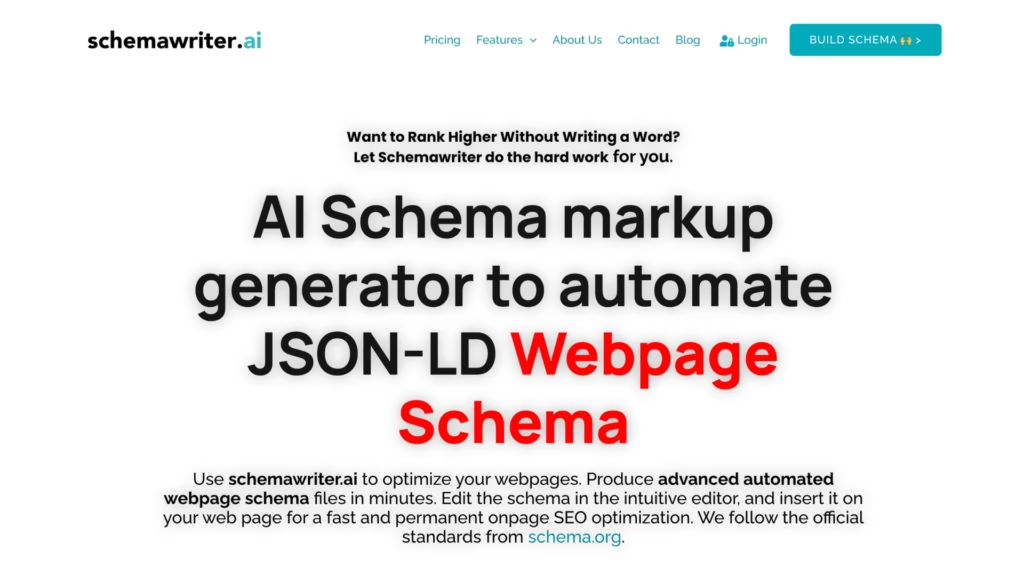
That’s where an AI schema generator fits in.
Instead of wrestling with property names, nesting rules, and validation errors by hand, you feed the tool a URL or a description, and it returns clean, deployment-ready code.
A solid JSON-LD generator powered by artificial intelligence can handle everything from basic LocalBusiness markup to complex Product and FAQ schemas in seconds, which makes it practical even for people who’ve never touched a line of JSON.
What Schema Markup Actually Does Behind the Scenes
Schema markup is a vocabulary, maintained by Schema.org, that tells search engines what your content means, not just what it says.
A product page might contain a price, a star rating, and a brand name, but without structured data, those are just text strings to a crawler.
Add the right schema and suddenly Google, Bing, and other engines understand that $49.99 is a price, 4.7 is an aggregate rating, and “Nike” is the manufacturer.
That understanding is what powers rich results.
JSON-LD is the format Google recommends for delivering that information.
It lives inside a <script> tag in your page’s <head> section, completely separate from the visible HTML.
Because it doesn’t touch the page layout, it’s easier to add, edit, and debug than older formats like Microdata or RDFa.
Most modern CMS platforms, WordPress, Shopify, Webflow, either inject JSON-LD automatically or accept it through plugins and custom code blocks.
Why Hand-Coding Schema Breaks Down at Scale
Writing schema by hand works fine when you have five pages.
At fifty it gets tedious.
At five hundred, it’s practically unmanageable.
Each schema type has its own required and recommended properties, and those properties change depending on what Google’s Rich Results Test currently validates.
A Recipe schema expects cookTime in ISO 8601 duration format.
An Event schema needs a specific location structure with nested PostalAddress objects.
Miss one required field, and the whole block gets ignored during indexing.
There’s also the nesting problem.
Real-world pages rarely fit into a single schema type.
A blog post reviewing a product might need Article markup, Product markup, and a Review schema, all connected properly.
The relationships between those objects, the @id references, the author fields, the itemReviewed properties, have to be accurate, or the validator throws errors.
Keeping all of that consistent across hundreds of pages by hand is where most SEO teams hit a wall.
How an AI Schema Generator Changes the Workflow
An AI schema generator reads your page, or your description of the page, and determines the most appropriate schema types automatically.
It parses the content, identifies entities like business names, product specifications, addresses, and event dates, then assembles the JSON-LD output with the correct property names and value formats.
Some tools pull directly from a live URL.
Others let you fill in fields through a guided form and generate the code behind the scenes.
The AI component matters because the schema isn’t static.
Google regularly updates which properties it supports, deprecates old ones, and adds entirely new schema types.
A trained model can stay current with those changes in a way a static template tool can’t.
It also handles edge cases better, like recognizing that a page selling handmade candles needs both Product and Offer markup, or that a restaurant menu page benefits from a combined Restaurant and Menu schema rather than just one or the other.
Speed is the other obvious advantage. Generating valid structured data for a HowTo schema with twelve steps takes less than ten seconds with an AI tool.
Doing it manually means cross-referencing the Schema.org documentation, formatting each step object, double-checking the position values, and running the whole thing through a validator.
Multiply that by every page type on a mid-size site, and the time savings become significant.
Common Schema Types Worth Generating
Not all schema types carry the same weight in search.
Some directly trigger rich snippets while others provide background context that supports overall entity recognition.
The types that tend to deliver the most visible impact include:
- LocalBusiness — essential for brick-and-mortar locations. Includes name, address, phone, opening hours, and geo-coordinates. This is what feeds the Google Business knowledge panel from your own site.
- Product + Offer — required for ecommerce rich results. Covers price, availability, currency, SKU, condition, and review data. Without this, your product pages won’t show pricing in the SERP.
- FAQPage — still supported for certain queries and can dramatically increase the SERP real estate your listing occupies. Each question-answer pair appears as an expandable accordion directly in search results.
- Article / BlogPosting — helps content appear in Google News, Discover, and Top Stories. Requires headline, datePublished, author, and image properties at minimum.
- HowTo — step-by-step guides that display directly in search with numbered instructions. Works especially well for DIY, cooking, and technical tutorial content.
An AI schema generator should be able to handle all of these and suggest the right type based on page content.
The better tools also generate BreadcrumbList and SiteNavigationElement schemas alongside the primary type, since breadcrumbs are one of the most universally applicable structured data implementations.
Validation Still Matters — Even with AI
Automated generation doesn’t eliminate the need to validate.
Google’s Rich Results Test and the Schema Markup Validator at schema.org should still be part of the workflow.
AI models can hallucinate property names that don’t exist in the official vocabulary, or occasionally assign a value to the wrong data type, a string where an integer is expected, for instance.
These are easy to catch with a quick validation pass, but will silently fail if you deploy the code without checking.
The practical approach is to generate the schema with an AI tool, validate it, and then deploy.
That three-step workflow replaces what used to be a five- or six-step manual process involving documentation lookups, hand-coding, debugging, re-validating, and fixing typos.
Even when the AI output needs a minor correction, the total time invested is dramatically lower than starting from a blank file.
Read More: 7 Best Plagiarism Remover and Checker Tools in 2026
Picking the Right Tool for Your Setup
Not every AI schema generator works the same way. Some are browser-based and designed for one-off use; you paste a URL, get the code, copy it into your CMS.
Others integrate directly with WordPress through plugins or connect to headless CMS platforms via API.
The right choice depends on how many pages you’re dealing with and how often the structured data needs to be updated.
For small sites, a local dentist’s office, a personal portfolio, a single-product landing page, and a standalone browser tool get the job done in minutes.
Copy the generated JSON-LD block into your page template, and you’re set.
Larger sites with dynamic content, though, benefit from API-driven schema generation that runs automatically when new pages are published or product details change.
The schema stays accurate without anyone manually touching it.
What matters most is that the output is clean, valid, and uses the latest Schema.org vocabulary.
A tool that generates technically correct code but references deprecated properties or ignores Google’s recommended fields isn’t saving you much.
Test the output against the Rich Results Test before committing to any particular generator; that ten-second check tells you more about the tool’s quality than any feature list on its marketing page.