
Across a recent sample of SaaS product demo videos I audited last quarter, the pattern was consistent: chapters were either missing entirely or auto-generated and never touched again.
Titles read “Intro,””Part 2,””Demo,” labels that tell a viewer nothing and tell Google even less. Every one of those videos was losing a search surface its team didn’t know existed.
Video chapters are not a YouTube courtesy feature. They’re a second SEO surface, one that lets a single video rank for several distinct search queries at once. Most teams bolt chapters on after uploading. Teams getting real value from them write chapter titles the way you’d write page titles, before the video is even scripted.
Most people also assume the SEO benefit travels with the video file. It doesn’t. The moment that video leaves YouTube for your own product page, help center, or gated course platform, the mechanism behind that benefit disappears, unless you rebuild it yourself.
This article covers three things: how chapters change viewer behavior, which AI tools generate them well enough to skip heavy editing, and what happens to that SEO value once your video isn’t hosted on YouTube.
Video Chapters Cut Navigation Time in Long-form Video
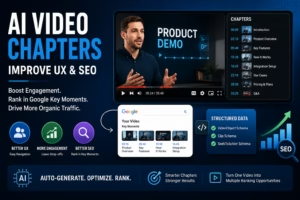
Video chapters divide a video into labeled, timestamped sections that appear as a clickable table of contents inside the player. Instead of scrubbing a 40-minute webinar to find the pricing discussion, a viewer taps a chapter and lands exactly there.
This matters most for content over 10 minutes: product demos, onboarding walkthroughs, webinar replays, or course lessons.
A three-minute explainer has nothing worth jumping to. But a 35-minute demo recording, the kind most B2B SaaS teams create hundreds of, is exactly the format where a viewer abandons at minute 6 because they can’t tell if the feature they care about shows up at minute 8 or minute 28.
Chapters solve a specific abandonment problem: The viewer doesn’t know where the answer they want is located, so they leave rather than search for it. That’s a UX cost with a direct line to pipeline if the video is a demo or a sales asset.
Why Long-form B2B Video Benefits More Than Short-form Content
A 45-minute webinar with no chapters asks a VP Growth to invest 45 minutes on faith. The same webinar with eight labeled chapters lets them jump straight to the segment on integration setup and decide from there.
This is why EdTech platforms chapter every lesson, and why enterprise product teams increasingly chapter every demo recording before it reaches a prospect.
Google’s Key Moments Feature Turns One Video Into Multiple Search Results
Key Moments is a Google Search feature that breaks a video result into multiple clickable segments, each with its own timestamp and label.
When chapter titles are specific, Google can lift individual chapters into the SERP as separate entry points, meaning one 20-minute video can show up for several unrelated queries instead of one.
That’s the mechanism most guides on this topic skip past. Each chapter title functions as a de facto mini page title, and Google indexes it as such. A chapter titled “How to set up SSO in under 5 minutes” can rank for that exact query, independent of what the parent video is about.
The chapters that show up in search results are the ones written like search queries, not the ones written like a table of contents.
Why Generic AI-generated Chapter Titles Waste This Opportunity
Most AI chapter tools default to labels like “Introduction” or “Setup,” because that’s what transcript-based topic detection flags as a boundary, not because those words carry search intent.
A chapter titled “Setup” competes for nothing. A chapter titled “How to connect your CRM to a video hosting platform in 3 steps” competes for that specific query.
Publish AI-generated chapter titles without rewriting them and you forfeit the entire Key Moments opportunity. The transcript catches where a topic changes. It has no idea what someone would type into Google to find that section.
Rewrite every AI-suggested chapter title as if it were a standalone Google search query before publishing it. That single step separates a chapter list that ranks from one that’s purely cosmetic.
Here’s the difference in practice. An AI tool sees a topic boundary and writes “Setup.” A search-intent rewrite asks what someone would actually type to reach that section, and writes “How to connect your CRM to a video hosting platform.” Same boundary, same timestamp. Only one of them can rank.
The Chapter Coverage Gap: What Happens When Your Video Isn’t on YouTube
Key Moments relies on manually structured timestamps, whether through YouTube’s description format or through structured data on your own site, not on automatic detection of the video file itself.
Call this the Chapter Coverage Gap: The moment a video moves onto a company’s own domain, whether a product page, a help center, or a gated course platform, it stops qualifying for that SEO surface unless the destination page rebuilds the same signals manually.
This is the mechanical reason so many SaaS teams see zero search lift from chaptering their videos. They followed the YouTube playbook and applied it to a self-hosted video, where none of the underlying infrastructure exists to replicate the benefit.
This gap tends to widen whenever a SaaS or EdTech team pulls video off YouTube for brand control, gating, or security, since the chapter SEO value doesn’t automatically follow the migration.
Replicating Chapter SEO Value With VideoObject and Clip Schema
The fix is structural, and Google gives you two ways to build it. The first is Clip structured data: define each chapter’s exact startOffset, endOffset, and name inside a hasPart array on the VideoObject.
This works in every language Google Search supports and is the closest analogue to a manually written YouTube description, since you’re handing Google the exact boundaries rather than a pattern to infer from.
The second is SeekToAction: instead of listing timestamps, you tell Google the URL pattern your player uses for deep-linking (something like example.com/watch?t={seconds}), and Google infers the moments itself.
It’s less setup to maintain since you don’t touch the schema every time you re-edit a video, but it only works in twelve languages: English, Spanish, Portuguese, Italian, Chinese, French, Japanese, German, Turkish, Korean, Dutch, and Russian.
For a multi-language library, that gap matters. A team relying on SeekToAction alone gets Key Moments in those 12 languages and nothing everywhere else. Clip schema is the only path that covers every language Google Search supports.
Google’s own documentation confirms it will prioritize key moments you’ve set manually, through either structured data method or a YouTube description, over anything it detects automatically. Skip both and a self-hosted video with well-labeled chapters is invisible to this feature entirely.
This raises a security question most teams never connect to chaptering. A gated course lesson or paid webinar replay needs deliberate handling of what’s discoverable versus access-controlled.
Self-hosted Platforms Are Starting to Close This Gap Natively
A handful of dedicated video platforms have started building chapter generation directly into the hosting layer rather than leaving teams to bolt on schema by hand.
That’s a meaningfully different starting point than a YouTube-only workflow, where the chapter and the SEO signal live in two separate systems that someone has to keep in sync manually.
The practical question for a SaaS team evaluating this isn’t whether a platform can generate chapters. Most can. It’s whether the platform also owns the schema layer, so a chapter written once shows up correctly in the player, in the sitemap, and in structured data without three separate implementation steps.
A video hosting platform’s approach to video protection matters here, since token-based access and DRM need to coexist with the metadata layer that makes chapters discoverable, without exposing gated content through search.
Most video hosting platforms treat SEO and security as two unrelated settings tabs. They aren’t. A gated video with public-facing chapter schema needs both handled by the same delivery layer, or you end up leaking access or losing the SEO surface entirely.
5 Tools That Auto-generate Video Chapters, Tested for Title Quality
Running the same 30-minute product demo transcript through five chapter generation approaches surfaces a consistent pattern in which titles come out usable without a full rewrite, and which don’t.
| Tool | Input | Output Format | Titles usable as-is? |
| YouTube Automatic Chapters | YouTube-hosted video | Native player timeline | Rarely. Titles trend generic (“Overview,” “Demo”) |
| Descript | Uploaded audio/video | Editable chapter markers, exportable | Sometimes. Better with single-topic content |
| ChapterGen (Chrome extension) | YouTube video URL | Auto-inserted into description | Rarely. Same generic-title problem as native chapters |
| Musely Video Chapter Generator | Video/audio file, 51 languages | Timestamped chapters, thematic boundaries | Sometimes. Strongest for non-English source video |
| Gling AI YouTube Chapters | YouTube video | Auto-generated chapter markers | Rarely. Tuned for engagement pacing, not search intent |
None of the five tools produced chapter titles I’d publish without editing. Topic-shift detection is a solved problem. Query-intent matching for a chapter title is a different task entirely, and no generator tested treats it as the job.
Where AI Chapter Titles Consistently Fail
Every tool optimized for finding where a topic changes, correctly. None optimized for what phrase a searcher would type to find that section. That’s a research task, not a transcription task, and it’s the step every one of these tools skips.
If a chapter generation tool doesn’t ask you what your audience searches for, it’s solving half the problem. The timestamp is the easy part. The title is what determines whether the chapter ever shows up in a search result.
How to Write Chapter Titles That Match What People Actually Search
The fastest way to fix generic AI output is to treat each chapter title like a landing page headline for that specific 90 seconds of content.
- Identify the query each section answers. Before touching the transcript, write down what someone would type into Google if they only wanted that section’s content.
- Keep titles under 8 words. Longer titles get truncated in the Key Moments display and lose search-matching precision.
- Start the first chapter at 0:00. YouTube requires this, and Key Moments won’t activate without at least three chapters in ascending order.
- Space chapters by topic shift, not by clock. A chapter every two minutes regardless of content is worse than three well-placed chapters in a 20-minute video.
- Run the AI-generated draft through a manual title pass. Use the tool for boundary detection, then rewrite every title as a search query.
The step most teams skip is checking whether the chapter title actually matches spoken content in that segment. A title that promises “pricing breakdown” over a section that briefly mentions pricing and moves on gets penalized in viewer trust even if it technically ranks.
Multi-language Video Needs Chapters and Metadata in Every Language of Your Target Audience
This is where the Chapter Coverage Gap compounds. A chapter title optimized for English search intent does nothing for a viewer searching in Spanish, Portuguese, or Hindi. If a video serves multiple markets, the chapter and schema layer needs to exist per language, not just per video.
Getting one language’s chapters right is a research and rewriting exercise. Getting five languages right, each with its own schema and audio or subtitle track, usually means stitching together a transcription vendor, a translation vendor, a hosting platform, and a schema implementation that were never built to talk to each other.
After testing chapter generation and schema implementation across several hosting setups for a multi-market library, the pattern that stood out was less about AI quality and more about coordination overhead.
Video hosting platforms that keep hosting, security, chapter metadata, and multi-audio delivery under one system remove a layer of vendor handoffs that otherwise eats the time automation was supposed to save.
Gumlet turns out to be a notable example of this. It’s built as a video marketing platform for SaaS teams and SMBs, and multi-audio delivery is a native part of that stack rather than a bolt-on: one video asset can carry a properly localized chapter and metadata layer per language, alongside hosting, access control, and delivery, without stitching together separate transcription, translation, and hosting vendors to get there.
Google’s own Search Central documentation confirms SeekToAction and Key Moments markup work per video asset, not per language track by default, meaning multi-language libraries that don’t handle this deliberately are effectively invisible in Key Moments for every language except whichever one the schema happens to be written in.
Frequently Asked Questions
1. Do video chapters actually help SEO, or is that overstated?
Chapters help SEO specifically through Google’s Key Moments feature, which turns individual chapter timestamps into clickable entries beneath a video search result.
This only works when chapter titles are specific and match real search phrasing, generic titles like “Introduction” don’t qualify for meaningful placement even when the feature technically activates. A chapter titled “how to reset a forgotten password” has a real shot at ranking for that query. “Step 2” does not.
2. How many chapters does a YouTube video need to qualify for Key Moments?
YouTube requires a minimum of three timestamps in ascending order, with the first starting at 0:00 and each chapter running at least ten seconds. Meeting that technical minimum doesn’t guarantee Key Moments placement, that depends on whether titles are specific enough to match a searchable query.
Treat three chapters as the floor: most long-form B2B videos need five to ten well-placed chapters to cover their actual topic range.
3. Can I add chapters to a video that isn’t hosted on YouTube?
Yes, but the SEO mechanism is different. YouTube’s native chapter format automatically feeds into Key Moments, while a self-hosted or embedded video needs VideoObject schema with Clip or SeekToAction markup to get equivalent visibility in Google Search.
Skip the schema step and the chapters improve navigation inside your own player but generate zero additional search surface, defeating half the reason to chapter the video in the first place.
4. Are AI-generated chapter titles good enough to publish without editing?
No. Every tool tested for this piece, including YouTube’s native auto-chapters and Descript, produced reasonably accurate boundary detection but titles too generic to carry search intent. AI tools solve where a topic changes, not what a searcher would type to find it.
Run every AI-suggested title through a manual rewrite pass before publishing, or the chapters function as navigation only, with none of the SEO upside.
5. How long should each video chapter be?
Most effective chapters run between two and eight minutes, adjusted to how much ground the section covers, rather than forced into a fixed interval. A chapter shorter than ten seconds gets ignored by YouTube’s system entirely, and one stretching past ten minutes usually means two distinct topics got merged into one label.
If you’re debating whether to split a section into two chapters, check whether someone would search for those two pieces of content separately. If yes, split them.
6. Do Clip and SeekToAction schema do the same thing?
No. Clip structured data requires listing each chapter’s exact start time, end time, and title, and it works in every language Google Search supports.
SeekToAction instead tells Google the URL pattern your player uses to jump to a timestamp, and Google infers the moments itself, which means less maintenance but support for only twelve languages: English, Spanish, Portuguese, Italian, Chinese, French, Japanese, German, Turkish, Korean, Dutch, and Russian.
A multi-language video library needs Clip schema to get Key Moments coverage outside those twelve languages.
Read More: Software Name MeetShaxs: Complete Guide to the Emerging Collaboration Platform in 2026
Closing Thoughts
Chapters were never really about navigation. They’re a search surface, and the fact that most teams treat them as a UX afterthought is why so few videos capture that value.
The real decision isn’t whether to add chapters. It’s whether your video’s home, whether that’s YouTube, a product page, or a gated course platform, actually has the infrastructure to carry that surface into Google Search.
A video with perfect chapter titles and no schema markup behind it is invisible in exactly the place this whole exercise was supposed to win.
If your team is running video across multiple markets or moving video off YouTube onto owned domains, that infrastructure question is worth answering before the next batch of demos gets recorded.
Platforms like Gumlet that offer AI-powered auto video chapters are one place worth a look while evaluating what that stack should include.