
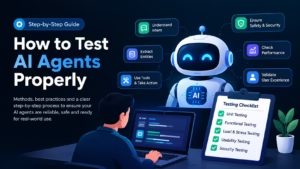
AI agents are now part of many software systems, from customer support tools to internal workflows. They do not work like traditional software. Instead of following fixed rules, they respond based on language, context, and past inputs. This makes their behaviour harder to predict and harder to check with standard testing methods.
This step-by-step guide explains how to test AI agents properly. It walks through what AI agents are and how different testing methods fit together.
What Are AI Agents?
AI agents are systems that perform tasks on their own by creating workflows using available tools.
These agents do more than understand language. They can make decisions, solve problems, interact with external systems, and carry out actions based on the situation.
AI agents handle complex tasks across enterprise applications. These tasks include software design, IT automation, code creation, and conversational support. They use large language models to understand user input step by step and decide when to use external tools to complete a task.
What Are the Benefits of Testing AI Agents?
Testing AI agents brings several clear benefits that are worth noting.
- Data Loss Prevention: Testing helps reduce the risk of data leaks. When sensitive data stays protected, companies can avoid damage to their reputation and stay clear of penalties linked to data privacy rules. This also supports a smoother experience for users.
- Better Performance Before Release: Testing checks whether agents follow authentication rules, use the right tools, and produce outputs that match expectations. These checks happen before the agents move to production, which reduces surprises later.
- Time Savings Over the Long Term: Finding and fixing issues before release reduces problems after launch. This leads to fewer urgent fixes and less reactive work for engineering and go-to-market teams. Over time, this saves effort and keeps agent management more stable.
Best Methods to Evaluate AI Agents
Testing AI agents needs a mix of standard software testing methods and AI-specific techniques. AI systems behave differently because their decisions are not always predictable. A good testing approach checks both technical behavior and real user interaction. This is where agent assurance becomes important, helping teams validate AI agent reliability, safety, and performance across different scenarios before and after deployment.
Unit Testing: The Base of AI Agent Testing
Unit testing checks the smallest parts of an AI agent.
For intent recognition, tests check whether the agent correctly understands what the user wants. For example, it should place a message into the correct intent group. For entity extraction, tests confirm that the agent can find useful details in a sentence. This includes handling different formats, such as dates or time references. For backend connections, tests verify that actions like sending an email or creating a booking trigger correctly and return the expected result.
These tests are usually automated. You pass fixed inputs and check whether the output matches what you expect.
Functional Testing: Full Flow Validation
Once individual components behave as expected, functional testing checks the complete interaction from start to finish. Instead of validating single inputs, this approach focuses on how the agent handles a sequence of messages and actions.
A typical test starts with an initial request and then adds follow-up details or changes. The test verifies whether the agent understands the intent, keeps context across messages, extracts the required information, and completes the correct action using available tools.
Functional testing is usually manual because real interactions are difficult to predict and script in advance. Automation still plays a role for controlled flows, such as confirming that backend actions trigger correctly or that the interaction follows the expected path.
Load and Stress Testing: Traffic and Scale Checks
AI agents in production must handle real traffic.
Load testing checks how the agent behaves within expected limits. Stress testing checks what happens when those limits are crossed. Tests usually look at response time when many users interact at once, backend API behavior under pressure, and how well the agent handles a rise in user sessions.
This testing shows whether the agent stays responsive during peak usage.
Usability Testing: User Experience Review
Technical success does not always mean a good user experience.
Usability testing checks how real users feel when using the agent. It looks at whether responses are clear, whether delays cause confusion, and whether users can finish their tasks. This testing includes direct feedback, observing users while they complete tasks, and checking how easily they move through conversations.
Testing with users from different backgrounds is important. People with different skills or cultural habits may interact with the agent in very different ways.
A B Testing: Comparing Agent Behavior
A B testing compares two or more versions of an agent.
Each version may use different wording, flow, or response style. Both versions run at the same time with real users. Results such as task completion or user satisfaction are compared. For example, one version may sound formal while another sounds friendly. User reactions show which approach works better.
This method supports steady refinement of agent behavior.
Monitoring and Real Usage Feedback
Testing does not stop after release.
Once the agent is live, ongoing monitoring is needed. Real usage data shows how the agent behaves with actual users and unexpected inputs. This feedback helps teams spot gaps, adjust behavior, and keep the agent stable over time.
What Are the Various Methods of Testing AI Agents?
Before applying these techniques in practice, it is crucial to understand the different methods used to test AI agents. Each method has its own benefits and limits. Below are seven common and practical testing methods used for AI agents.
- Prompt Driven Testing: This is the basic method used to check how an agent responds to user questions. It uses carefully written prompts that include simple cases, complex cases, and edge cases to observe agent responses.
Prompt-driven testing is useful for spotting early reasoning issues. It checks whether the agent understands domain instructions before deeper testing starts.
- Scenario-Based Testing: Scenario-based testing mirrors real user journeys from start to finish. Instead of sending single prompts, this method checks how the agent works across full workflows.
This method checks whether the agent can plan steps, adjust its actions, and complete tasks across an entire customer interaction.
- Adversarial Testing: User inputs are not always clear or polite. Adversarial testing introduces difficult or misleading inputs meant to confuse the agent.
This method checks how well the agent handles unsafe inputs and unexpected behavior while staying within set rules.
- Perturbation Testing: Perturbation testing checks how the agent reacts when systems around it do not work as expected. Issues such as unavailable tools, partial data failures, slow responses, or temporary service outages can occur in any environment where agents rely on external systems.
Examples include partial data failures or slow system responses. This method checks whether the agent responds carefully during unstable conditions instead of taking risky actions.
- Shadow Mode Testing: Shadow mode testing runs the agent alongside live systems without letting it interact with real customers.
This method finds issues that only appear under real traffic and load, which makes it useful before full rollout.
- Tool Execution Testing: Many AI agents use tools or APIs to complete tasks. Tool execution testing focuses only on how these actions run.
This method checks whether the agent calls the correct tools, uses the right parameters, and handles failures properly.
- Red Teaming: Red teaming is a focused testing method that checks safety, compliance, and refusal behaviour. Testers deliberately try to push the agent toward unsafe, misleading, or rule-breaking actions.
This method is important because even a single unsafe response can cause serious trust issues, compliance risks, or system misuse. Red teaming helps confirm that the agent follows boundaries, refuses harmful requests, and behaves responsibly under pressure.
What Are the Challenges of Testing AI Agents?
Unfortunately, testing AI agents can be very difficult, and in some cases, it may not be fully possible. There are a few clear reasons for this.
- You cannot test every possible situation. AI agents work with open-ended prompts, so it is not possible to predict every type of input they may receive. Because of this, testing can only show a limited view of how the agent performs, not the full picture.
- Test results do not fully match real usage. Large language models do not always respond the same way each time. Even when inputs stay the same, outputs can change. This means testing can only check whether the agent behaves in an acceptable manner and responds safely when something goes wrong.
- Building testing systems in-house is also difficult. Creating and maintaining tests across many models, prompts, and connectors requires strong technical knowledge and ongoing effort. As the number of agents and connections grows, keeping tests complete and dependable becomes harder and more time-consuming.
Because of these challenges, many teams rely on cloud-based testing platforms such as TestMu AI to reduce infrastructure effort and avoid building complex testing systems in-house. TestMu AI is a GenAI-native test execution platform that provides a scalable AI automation cloud for running tests across 3000+ real browsers, devices, and OS combinations and 10,000+ real mobile environments.
Best Practices for Testing AI Agents
Here are the best practices to follow when testing AI agents.
- Measure Tool Hit Rates: Hit rate shows how often an agent calls the correct tool when it is needed. You can test this by defining clear scenarios where a specific tool must be used, such as creating a Jira issue for a reported bug. By comparing expected tool calls with actual calls, you can see whether the agent behaves correctly. You can also control how strict the match should be, whether exact wording is required, or small differences are treated as failures.
- Set Pass or Fail Output Checks: Pass or fail checks make it easy to judge whether an agent response is correct. You start with a fixed prompt and define all possible outputs. Some outputs are marked as acceptable, while others are marked as incorrect. This method gives quick clarity on whether the agent responds in the right way for important situations.
- Re-Run Tests After Model Changes: Language models can behave differently even with the same prompts. When the model behind an agent changes, existing behavior may also change. Re-running all tests helps catch unwanted differences early and keeps agent behavior consistent over time.
- Test Across All Supported Models: If an agent can use more than one language model, each test should run on every model. This helps identify which models perform well and which ones struggle with tasks such as tool selection or instruction handling. It also makes troubleshooting easier when issues appear.
- Test MCP Servers Before Production: MCP servers and connectors may have missing details, weak access controls, or poor maintenance. Testing should include normal inputs, edge cases, incorrect data, permission limits, and hostile prompts.
Conclusion
Hope this article helped you get a clear picture of how AI agents should be tested and why traditional testing alone is not enough. AI agents behave differently, react to context, and rely on tools, which means testing needs more planning and the right mix of methods. From unit checks to real usage monitoring, every step discussed here plays a role in understanding agent behaviour better.
You now need to look at what kind of agents you are building and where the risks lie. Some teams may struggle with scale, while others may find it hard to manage tools, models, and environments in one place. This is where choosing the right testing setup is crucial.