
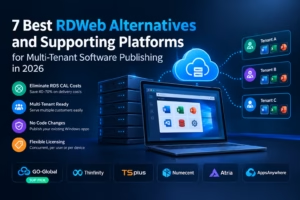
If you publish Windows software for customers, RDWeb can feel like a tax you did not agree to. You get it working, then the wider costs appear in RDS CAL requirements, which are licensed per user or per device, and in a setup that was not designed to serve many customer organisations from one shared environment. Before long, you are managing licensing complexity instead of shipping software.
Our top pick is GO-Global for ISVs that want to eliminate RDS CAL costs, because it removes RDS dependency at the architecture level rather than working around it. Its concurrent-user model, rather than licensing each user or device, may cut total delivery costs by 40-70% compared with a standard RDS stack, according to the vendor. That difference matters when user counts rise and fall. It was built for multi-tenant Windows application publishing, so serving several customers from shared hosting is central to the design. For browser-native delivery with built-in provisioning, Thinfinity is the strongest alternative. For teams looking for a familiar RDWeb-style option, TSplus is worth evaluating.
You are likely a CTO, product lead, or IT owner at a software company, and you already understand RDS and CAL calculations. We judged every option below on the factors that most affect ISV economics: RDS dependency, cost model, onboarding requirements, and multi-tenant and white-label fit. What follows is a ranked list of seven RDWeb alternatives and supporting platforms for publishing software in 2026.
How We Ranked These
We did not rank general remote access tools. We ranked platforms on how well they help you publish a Windows application to paying customers without rewriting it. That is a different task from giving employees remote desktops, and the criteria reflect that distinction.
RDS Dependency and Licensing Impact
First, we asked whether you still need Windows Server RDS CALs to remain compliant. That single question changes both your budget and audit exposure. Some replacement platforms remove the requirement by design, while others may still sit on top of RDS and inherit its licensing obligations. If you host applications for third parties, Microsoft licensing can become particularly complex, so map your deployment model carefully.
Cost Model and Licensing Logic
Next, we looked at how each platform licenses access: concurrent user, per user, per device, or other seat-based models. Concurrent-user licensing charges for active sessions, while non-concurrent models assign entitlement to a user or device rather than only simultaneous sessions. For multi-tenant SaaS delivery, that distinction may determine whether a new customer is profitable in the first month.
SaaS software delivery model → SaaS vs. SAAP
ISV Onboarding Ease
We also considered how quickly you can get an existing application live. The assessment covered whether publishing requires code changes and how much repackaging, infrastructure work, or endpoint configuration falls on your team. The better options let you retain your Windows codebase and spend more time onboarding tenants rather than rebuilding delivery infrastructure.
Multi-Tenant and White-Label Suitability
Finally, we examined multi-tenant design and branding controls. A suitable platform should serve multiple customer organisations from one hosted environment while maintaining clear separation. It should also support straightforward provisioning for new tenants and users. When multi-tenancy is treated as an add-on, operational costs tend to increase with every customer.
SaaS onboarding → A Leadership Guide to SaaS Onboarding and Growth
The 7 Best RDWeb Alternatives and Supporting Platforms for Publishing Software
With those four criteria in mind, these are the platforms best positioned either to replace RDWeb directly or to support a modernised Windows application delivery stack for ISVs and software publishers in 2026. Each entry is evaluated on licensing, ISV onboarding, and suitability for multi-tenant SaaS delivery, rather than general remote access alone. Number one is our top recommendation for reducing RDS costs, while the remaining options address more specific requirements.
| Provider | Best For | RDS Dependency | Pricing Model |
| GO-Global | ISVs Eliminating RDS CAL Costs | No | Concurrent User |
| Thinfinity | Browser Native SaaS Delivery | Not publicly confirmed | Not publicly confirmed |
| TSplus | Familiar RDWeb Style Publishing | Not publicly confirmed | Not publicly confirmed |
| Numecent | Automated Provisioning and Containerization | Not publicly confirmed | Not publicly confirmed |
| Atria | Tenant and Reseller Onboarding Automation | Not publicly confirmed | Not publicly confirmed |
| AppsAnywhere | Higher Education Software Delivery | Not publicly confirmed | Not publicly confirmed |
| V2 Cloud | Simple Managed Cloud Desktops | Not publicly confirmed | Not publicly confirmed |
#1. GO-Global – Best for ISVs Eliminating RDS CAL Costs With Concurrent User Publishing
GO-Global is purpose-built for software publishers that need to deliver Windows applications to multiple customers without carrying RDS overhead.
Graphon Go-Global lets you publish existing Windows applications from a shared hosted environment with no RDS dependency at the architecture level. This means there is no RDS CAL requirement to track, budget for, or explain during an audit, which is the structural difference that puts it at the top of this list. You do not have to rewrite the application to give customers hosted access. Instead, you host it centrally and deliver it to multiple tenants through the same publishing environment.
The concurrent user model is the second advantage. You pay for simultaneous active users rather than licensing each user or device regardless of simultaneous use. If you serve contractors, seasonal staff, schools, clinics, or customers operating across time zones, this model can keep costs tied more closely to actual usage. GraphOn positions potential savings at 40-70% compared with RDS-based stacks. That is a vendor estimate rather than a guaranteed outcome, so model it against your own CAL costs, concurrency levels, and infrastructure. For hosted licensing assumptions, review Microsoft’s Self Hosted Applications Licensing Guidance when mapping your deployment model.
Key Specs
- No RDS dependency and no RDS CAL requirement by design
- Concurrent user licensing based on active sessions rather than registered seats
- Multi-tenant Windows application publishing from shared hosting
- SaaS-style delivery without an application rewrite
- ISV-focused design for serving multiple customer organisations
Pros
- Removes RDS and CAL overhead at the architecture level
- Concurrent licensing can lower costs for variable and distributed user bases
- Multi-tenancy is part of the core design
- Supports cloud delivery while retaining the current Windows codebase
- Vendor-positioned savings of 40-70% compared with RDS stacks
Cons
- Self-hosted deployments still leave infrastructure management with your team
- Focused on Windows application publishing rather than every full-desktop VDI use case
- Application compatibility and operational requirements should be tested before rollout
Who It Is Best For: ISVs and software publishers that want to remove RDS licensing and serve multiple tenants from one environment using concurrent pricing. Contact the vendor for concurrent-user quote details.
#2. Thinfinity – Best for Browser Native SaaS Delivery With Built-In Multi-Tenancy
Thinfinity is the browser-first pick for ISVs that want to give customers direct hosted access to Windows software.
Users access the application through a modern browser, reducing the endpoint work often associated with traditional remote software delivery. That may help when selling to non-technical buyers or organisations with tightly managed corporate and school devices. For publishers, Thinfinity is positioned around SaaS transformation, allowing existing Windows software to be offered through hosted, multi-tenant delivery without a full redevelopment project.
The managed element also matters. Its infrastructure is offered through IONOS Cloud, alongside provisioning and scaling controls intended to support tenant operations. If you do not have a large operations team, browser delivery combined with managed infrastructure may simplify the route to a hosted product. Before committing, confirm how its branding options, tenant isolation, infrastructure choices, and commercial terms fit your roadmap.
Key Specs
- Browser-native access to published Windows applications
- ISV-oriented provisioning and multi-tenancy for SaaS-style offers
- Managed infrastructure offered through IONOS Cloud
- Delivery designed to avoid full application redevelopment
- Positioning focused on turning existing software into a hosted service
Pros
- Browser access can reduce endpoint setup for customers
- Multi-tenancy and provisioning are aimed at ISV use cases
- Avoids the need for a complete application rewrite
- Managed infrastructure may reduce day-to-day operational work
Cons
- IONOS-based hosting may not fit teams standardised on another cloud provider
- Commercial and technical details need direct validation
- Confirm the available branding options and tenant controls with the vendor
Who It Is Best For: ISVs seeking browser-native SaaS delivery with provisioning support that do not want to operate all of the infrastructure themselves. Contact the vendor for ISV-specific pricing.
#3. TSplus – Best for Evaluating Familiar RDWeb Style Application Publishing
TSplus is a familiar RDWeb-style alternative for teams that want to assess a more straightforward publishing option.
For staff already familiar with remote access and application publishing concepts, TSplus may present a recognisable operating model. The company has a regional presence across the US, India, and South Asia, which may be relevant to publishers working across those markets. However, public information does not establish a specific price advantage, licensing structure, delivery architecture, or migration effort for every ISV deployment, so those points should be confirmed during evaluation.
Be clear about the intended fit. TSplus should be assessed as an RDWeb-style publishing option rather than assumed to provide the same ISV-native multi-tenant model as our top pick. RDS dependency, licensing terms, tenant separation, and branding controls need to be validated for your use case, particularly if you intend to host multiple customer organisations on shared infrastructure.
Key Specs
- Remote access and application publishing offering
- Regional presence across the US, India, and South Asia
- RDS dependency is not publicly confirmed for every deployment model
- Pricing and licensing structure require direct vendor confirmation
- Multi-tenant suitability should be assessed for the intended architecture
Pros
- Familiar remote publishing concepts may suit existing administration teams
- Regional presence may help organisations operating in supported markets
- Worth comparing when evaluating RDWeb-style options
- Can be assessed against established operational requirements
Cons
- RDS and licensing requirements must be verified with the vendor
- Public information does not confirm the depth of multi-tenant controls
- ISV-specific onboarding and branding capabilities require validation
Who It Is Best For: Publishers that want to evaluate a familiar RDWeb-style delivery option. Confirm pricing, RDS requirements, architecture, and tenant controls directly with the vendor.
#4. Numecent – Best for ISVs Needing Cloudpaging Containerization and Automated Provisioning
Numecent addresses provisioning and containerisation rather than acting as a standalone multi-tenant hosting platform.
Its Cloudpaging technology is designed to provision software while reducing the repackaging work associated with complex desktop environments. If your application has dependencies, plugins, or version conflicts, containerisation and automated provisioning may simplify how software is prepared and delivered across supported environments. Numecent’s ISV offering focuses on software vendors that need a provisioning layer alongside their existing desktop or cloud infrastructure.
This is a provisioning layer, not complete hosting. You still need underlying compute and an appropriate delivery environment, whether that sits in your cloud or a customer-controlled setup. If your goal is a shared, hosted publishing farm for multiple tenants, you will need a separate publishing and infrastructure layer. If the main problem is provisioning applications consistently across customer environments, Numecent is the more relevant fit.
Key Specs
- Cloudpaging containerisation for application provisioning
- Automated configuration intended to reduce repackaging work
- ISV-specific offering for software vendors
- Designed to operate alongside existing desktop and cloud environments
- Focused on distributing applications across supported infrastructure
Pros
- Provisioning automation can reduce rollout work
- Containerisation may help manage complex dependencies and configurations
- Explicit focus on ISV requirements
- Can work as a layer across different underlying environments
Cons
- Not a standalone hosting platform, so you still provide compute
- Does not replace a complete multi-tenant publishing environment
- Pricing and onboarding effort vary by agreement and require early scoping
Who It Is Best For: ISVs with complex installation and update requirements that want containerised provisioning across customer environments. Contact the vendor for ISV-specific packaging and commercial details.
#5. Atria – Best for Automating Multi-Tenant ISV and Reseller Onboarding Across Existing Platforms
Atria is an automation layer for ISVs that already have hosting infrastructure and need to manage tenant growth.
Rather than replacing the delivery stack, Atria operates over existing infrastructure as a self-hosted management layer. It automates tasks such as tenant setup, user provisioning, and access management, reducing the manual work involved when adding a customer or reseller. Reseller workflows can also reduce direct engineering involvement in routine onboarding. For desktop application vendors moving towards SaaS-style offers, that operational automation may fill a gap in the existing stack.
The trade-off is control against operational responsibility. Because it is self-hosted, you retain control of data and configuration, but your team remains responsible for the management layer and underlying publishing infrastructure. If you want a fully managed service, Atria alone will not provide it. If the aim is to retain your current stack while reducing onboarding work, it is a more natural fit.
Key Specs
- Self-hosted automation layer for ISV delivery operations
- Automated tenant setup, user provisioning, and access management
- Reseller onboarding workflows
- Designed to operate over existing infrastructure
- Intended for software vendors managing hosted desktop applications
Pros
- Works with an existing hosting stack rather than replacing it
- Reseller workflows may reduce manual onboarding
- Self-hosted operation gives vendors direct control
- Automation is aimed at software delivery administration
Cons
- Not a delivery platform by itself and requires underlying infrastructure
- Self-hosting leaves maintenance responsibility with your team
- A fully managed deployment requires additional hosting services
Who It Is Best For: ISVs and reseller-led vendors that want to automate tenant provisioning while retaining their existing hosting stack. Contact the vendor for self-hosted licensing details.
#6. AppsAnywhere – Best for Software Vendors Distributing Application Catalogs to Higher Education Institutions
AppsAnywhere is most relevant when your customers are colleges and universities.
The company focuses on higher education and reports partnerships with more than 300 institutions globally. Its offices in Charlotte, NC, and Leeds, UK, give it a presence in both US and UK academic markets. For software vendors selling into higher education, that sector experience and institutional footprint make it worth including in an early shortlist.
Outside that niche, proceed carefully. Public information does not confirm its RDS dependency, pricing structure, tenant controls, delivery mechanics, or suitability for general multi-tenant ISV publishing. Treat the initial evaluation as discovery rather than assuming a specific architecture. Confirm licensing, isolation, branding, application handling, and commercial terms for your academic use case before forecasting costs.
Key Specs
- Focus on software access within higher education
- More than 300 higher education institutions reported globally
- US and UK presence through Charlotte and Leeds offices
- Licensing model is not publicly confirmed for this use case
- RDS dependency and tenant controls require vendor confirmation
Pros
- Established higher education focus
- Reported relationships with more than 300 institutions
- Presence in both US and UK academic markets
- Relevant sector experience for vendors selling to universities
Cons
- Education focus may not translate to enterprise or SMB customers
- Licensing, RDS dependency, and tenant controls are unconfirmed
- Delivery mechanics and ISV-specific capabilities require direct validation
Who It Is Best For: Software vendors distributing applications to colleges and universities that value an established higher education presence. Contact the vendor to confirm delivery, licensing, and packaging details.
#7. V2 Cloud – Best for ISVs Wanting a Simple Managed Cloud Desktop Environment With Minimal Setup
V2 Cloud is the managed DaaS option for teams that want cloud desktops without building the underlying environment themselves.
It provides managed cloud desktops through a geographically distributed data centre footprint. The CloudCare team offers live support, which may be useful for an ISV without a large internal IT function. For a smaller software company that needs customer desktop environments, the managed service can remove some of the infrastructure work involved in operating DaaS internally.
The main caveat is scope. This is managed desktop delivery, which may be more than you need if the requirement is to publish only one or two Windows applications across many tenants. Public information does not confirm RDS dependency, licensing specifics, or ISV-grade multi-tenant controls for this scenario. A pilot should therefore examine tenant separation, administration, support, user experience, and total cost.
Key Specs
- Managed desktop-as-a-service offering
- Geographically distributed data centre footprint
- Live support through the CloudCare team
- Managed setup for teams with limited internal IT resources
- Application-only publishing capabilities require confirmation
Pros
- Managed DaaS can reduce internal infrastructure work
- Distributed hosting may support geographically dispersed users
- Live support can assist smaller ISV teams
- Straightforward option for testing managed desktop delivery
Cons
- A full desktop model may be excessive for application-only publishing
- RDS, licensing, and tenant isolation details require vendor confirmation
- Less directly focused on ISV publishing workflows than specialist platforms
Who It Is Best For: ISVs that want a managed desktop environment with support rather than an application-only publishing platform. Expect managed DaaS pricing and confirm tenant details directly.
RDWeb Replacement FAQs for Software Publishers
Use these answers to test your shortlist before running pilots. The questions focus on software publishing rather than general remote access.
Should I Replace RDWeb If I Only Serve a Handful of Customers?
You should at least evaluate a move because RDWeb costs can become difficult to manage even at a small scale. Standard RDS licensing can use per-user or per-device CALs, so licensing cost is tied to assigned users or devices rather than concurrent sessions, while every new customer adds account, access, and update administration. A concurrent-user or managed tenant model may keep early contracts profitable and reduce the risk of a pressured migration later. If your roadmap takes you from ten customers to fifty, reviewing the options now gives you time to test them properly.
Is Paying for RDS CALs Worth It When You Publish Software as a Service?
For many ISVs, CALs add per-user or per-device licensing cost, audit exposure, and complexity when hosting applications for third parties. Outsourcing and hosting rules can change the licensing position depending on infrastructure ownership and who accesses it, so review the Outsourcing Licensing Guidance with a licensing adviser. Platforms without RDS dependency remove that line item. Vendor comparisons may claim savings of 40-70% over RDS stacks, but actual results depend on your usage and architecture.
Should I Choose Concurrent User Licensing for Variable Customer Demand?
Concurrent licensing often suits publishers with variable demand. Schools may have semester-based usage, clinics operate by shift, and contractors work by project. A shared pool lets occasional users consume licences only while active instead of requiring a named seat for each account. You should still model peak concurrency accurately and allow headroom for growth. Ask vendors how they count idle sessions, timeouts, and burst capacity so the pilot reflects real usage.
Is It Worth Delivering My Windows App as SaaS Without Rewriting Code?
If the application is stable and customers need hosted or browser access, publishing it without a rewrite may be worthwhile. A full rewrite can take much longer than adopting an appropriate publishing, containerisation, or browser-delivery layer. You retain the Windows codebase, host it centrally, and provide remote access. Validate printing, file handling, single sign-on, and required peripherals through a pilot based on real customer workflows before setting rollout dates.
Should I Worry About Multi-Tenant Isolation When Publishing From One Environment?
Yes. Vendors should be able to demonstrate how isolation works. You need clear separation between customer organisations across users, data, and administration, along with reliable provisioning when adding a tenant. Ask for a demonstration that creates two tenants, assigns users, applies the available branding, and removes access without affecting the other tenant. Confirm logging and support access controls as well, since enterprise buyers are likely to raise them during security reviews.
Is Now Worth Re-Evaluating How You License Hosted Windows Apps?
If you are still using RDWeb in 2026, this is a sensible time to reassess it. Customers increasingly expect straightforward browser access and onboarding, while licensing and infrastructure costs remain important constraints. Comparing concurrent user publishing, provisioning automation, and managed options will show whether you can lower the cost per customer and simplify onboarding. Run a two-week pilot with one real application and two test tenants, then compare cost, administration time, and user experience.
Our Final Take on Multi-Tenant Publishing in 2026
You may not need a larger RDS farm. A cleaner publishing model can help you serve multiple customers without paying for idle seats or managing CAL sprawl. For most ISVs, GO-Global earns the top spot because it removes RDS dependency by design and combines that architecture with concurrent user pricing intended for multi-tenant delivery.
Choose Thinfinity if browser-native access and managed provisioning matter most. Consider TSplus if you want to evaluate a familiar RDWeb-style option. Numecent fits provisioning and containerisation requirements, while Atria provides an automation layer for tenant and reseller onboarding. AppsAnywhere is the education-focused choice, and V2 Cloud suits teams seeking managed desktops. Shortlist two platforms, test them with real users, and compare cost per active customer before deciding.