
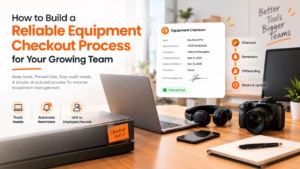
Every company that issues laptops, monitors, cameras, or other shared equipment eventually runs into the same problem: nobody can say for certain who has what. A laptop “borrowed” six months ago never gets returned. A camera goes missing before a shoot. An employee leaves and IT has no record of the three monitors sitting in their spare room.
The fix isn’t complicated, but it does require structure. Here’s how to build an equipment checkout process that actually holds up as your team scales.
Why Spreadsheets Break Down Fast
Most teams start with a shared spreadsheet, a column for the item, a column for who has it, maybe a date. It works fine for ten assets and five people. It falls apart at fifty assets and twenty people, because nobody updates it consistently, there’s no reminder system, and there’s no single source of truth when two people edit it at once.
The teams that scale past this pain point usually do three things differently:
- They standardize the checkout record. Every checkout captures the same fields, item, serial number, employee, checkout date, expected return date, and condition notes.
- They automate reminders. Nobody chases equipment manually forever; overdue items get flagged automatically.
- They tie checkouts to the employee lifecycle. Offboarding an employee automatically surfaces everything they still have checked out.
Building the Checkout Record
Whether you’re using dedicated asset management software or starting simple, the core of a good process is a consistent, repeatable record for every handoff. A basic template for checking out company equipment from BlueTally shows the minimum fields worth capturing: item and serial number, assigned employee, checkout and due dates, condition at handoff, and a signature or acknowledgment field. Having this as a fixed template , rather than free-form notes, is what makes audits and offboarding painless later.
Consistency matters more than complexity here. A checkout record with five reliable fields, filled in every single time, beats a detailed form that half your team skips because it’s too much work.
Setting Expectations at Checkout
The checkout moment is also the best time to set expectations: is the item for permanent use or a short-term loan? What happens if it’s lost or damaged? Who’s responsible for basic maintenance? Documenting this upfront avoids awkward conversations later, and it protects both the employee and the company if something goes wrong.
Some companies attach a brief acknowledgment, even a simple digital signature, confirming the employee received the item in working condition. It sounds like overkill until the first dispute over a cracked screen makes the value obvious.
Making Returns Just as Structured
Checkout gets most of the attention, but the return process matters just as much. Log the condition on return, note any damage, and update the asset’s status immediately, “available,” “in repair,” or “retired.” Skipping this step is how companies end up with equipment that’s technically “returned” in someone’s memory but still shows as checked out in the system.
A good rule: no return is complete until the asset’s status is updated in whatever system you’re using. If that step is manual and easy to forget, it will get forgotten.
Read More: 7 Best Equipment Retrieval Services for Offboarding & Hassle-Free Laptop Returns
Tying It to Offboarding
The single biggest source of lost equipment is employee offboarding done without an asset check. Before an employee’s last day, IT or HR should pull a full list of everything currently assigned to them , laptops, badges, peripherals, software licenses, and confirm each item’s return. This should be a required step in the offboarding checklist, not an afterthought.
Companies that treat asset recovery as optional during offboarding are, without exception, the ones with the messiest inventory records a year later.
When to Move Beyond Spreadsheets
If your team is spending more than an hour a week chasing equipment status, it’s usually time to move to dedicated IT asset management (ITAM) software. Platforms like bluetally.com centralize checkout records, send automatic reminders for overdue items, maintain full audit trails, and integrate checkout status directly into onboarding and offboarding workflows, removing the manual tracking that spreadsheets can’t sustain.
The switch isn’t just about convenience. It’s about having a defensible audit trail when finance asks where the company’s hardware budget went, or when a departing employee disputes what they returned.
The Bottom Line
A good equipment checkout process doesn’t need to be complex. It needs to be consistent: the same fields captured every time, reminders that don’t rely on someone remembering, and a hard link between checkouts and the employee lifecycle. Get those three things right, and “who has the missing laptop” stops being a recurring headache.
FAQs
- What information should an equipment checkout form always include?
At minimum: item name and serial number, the employee’s name, checkout and expected return dates, the item’s condition at handoff, and an acknowledgment or signature. These five fields cover most disputes and audit needs. - How often should companies audit their equipment inventory?
Quarterly audits work well for most mid-sized teams, with an additional check triggered any time an employee is offboarded. Fast-growing companies may need monthly checks until their process stabilizes. - What’s the difference between a checkout log and full ITAM software?
A checkout log is a manual record , often a spreadsheet or form, of who has what. ITAM software automates that tracking, adds reminders, maintains audit trails, and links checkouts to onboarding/offboarding workflows automatically. - Who should be responsible for equipment checkouts, IT or HR?
IT typically owns the technical tracking (serial numbers, condition, repairs), while HR usually owns the process trigger during onboarding and offboarding. The two should share visibility into the same records. - What happens if an employee doesn’t return equipment after offboarding?
Most companies include an equipment return clause in onboarding paperwork, allowing a deduction from final pay or requiring reimbursement for unreturned items, depending on local labor law. A documented checkout record makes this enforceable.