
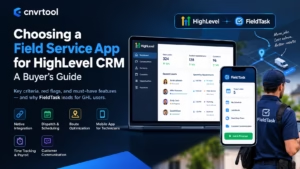
The right field service app for HighLevel CRM connects natively with GHL, covers dispatch and scheduling, and gives your technicians a mobile app they’ll actually use. It should also handle time tracking and payroll, so your office doesn’t run on spreadsheets. If an app misses any of these, you’ll end up patching gaps with manual work.
Most GoHighLevel users start looking for a field service app after the same moment. Leads are flowing, the calendar is full, but the field side feels chaotic. This guide walks through what to look for, which mistakes to avoid, and how to compare your options with confidence.
Why HighLevel Users Need a Separate Field Service App
HighLevel users need a separate field service app because GHL focuses on marketing and customer management, not field execution. GoHighLevel handles funnels, pipelines, SMS, booking, and reviews extremely well. However, it doesn’t dispatch technicians, optimize routes, or track hours on a job site.
That gap becomes obvious as a business grows. With two technicians, a group chat might work. With eight, missed jobs, late arrivals, and payroll errors start costing real money.
A field service management (FSM) app fills that operational gap. The key is choosing one that complements GHL instead of fighting it.
How HighLevel and a Field Service App Should Work Together
HighLevel should do the CRM part, and the field service app should do the field management. This division keeps each tool focused on what it does best. GHL wins and nurtures the customer, while the FSM app manages the work after the booking.
You probably know GHL is best in category for marketing. The right field service app keeps that strength intact and extends GHL into home service operations, all in one unified system. The wrong one pulls your customer data into a separate world.
In my opinion, this is the most important test. If an app wants to replace your CRM, it isn’t really built for GHL users.
7 Criteria for Choosing a Field Service App for HighLevel
Not every FSM app fits GoHighLevel equally well. Use these seven criteria to judge your options.
1. Native Integration With GHL
Native integration matters more than any single feature. Look for an app you can install directly from the GHL app marketplace. Apps that rely on Zapier or custom webhooks often break after updates, and the failures tend to go unnoticed until a job gets missed.
Ask one simple question: does customer and job data sync automatically in both directions? If the answer involves “you’ll need to map fields” or “use a third-party connector,” expect ongoing maintenance.
2. Dispatch and Scheduling
Dispatch and scheduling form the core of any field service app. Managers should assign jobs to a technician or crew from one board. Schedules should handle shifts, recurring visits, and quick changes without phone calls.
3. Route Planning and Optimization
Route planning and route optimization save fuel and time every single day. A good app arranges each tradesman’s stops in the most efficient order. For teams with five or more daily visits, this often adds room for an extra job.
4. Smart Job Assignment
Smart job assignment separates basic tools from strong ones. Look for proximity-based job assignment, which matches new jobs to the nearest available tech. This matters most for emergency calls, like a burst pipe or a failed AC unit in July.
5. A Mobile App Field Crews Will Use
Your field crew decides whether the system succeeds. If the mobile app feels slow or confusing, technicians will avoid it and go back to texting the office. Test the app yourself on a phone before committing.
6. Time Tracking and Payroll
Time tracking and payroll calculation often get overlooked during evaluation. Yet they save some of the most office hours each week. Look for a built-in time clock, geofencing, automatic timesheets, and payroll calculation.
7. Customer Communication
Customer communication tools reduce missed visits and boost reviews. At minimum, the app should send an “On my way” text when a technician starts driving. Customers value this more than most owners expect.
Red Flags to Watch For
Some warning signs show up early if you know where to look.
- “Integration coming soon.” If the GHL connection isn’t live today, don’t buy on promises.
- One-way sync only. If job results never flow back to GHL, your post-job automations stay silent.
- Separate customer database. Two customer lists always drift apart over time.
- Heavy setup requirements. If you need a developer to connect the app, factor that cost in.
- No field-side payroll. Without it, you still export hours to spreadsheets every week.
In my experience, the first two red flags cause the most regret. Owners buy for features and then discover the connection doesn’t support their automations.
Why FieldTask Stands Out for GHL Users
FieldTask is the most integrated FSM app for HighLevel, and it checks every criterion above. It installs directly from the GHL marketplace and positions itself as a complement to GoHighLevel, not a replacement. That focus shows in how naturally it fits into existing GHL workflows.
The good thing about FieldTask is that you don’t have to set up any manual integration. You just install it from the app marketplace, and FieldTask takes care of the rest. For owners without technical staff, that removes the biggest barrier to adoption.
It’s also why many users describe it as the most connected home service app for HighLevel. Agencies, in particular, like that they can offer it to clients as a home service management marketplace app for HighLevel across sub-accounts.
FieldTask Features Mapped to Your Needs
Here’s how the FieldTask GHL home service app lines up with the criteria that matter most.
Dispatch
Dispatchers assign jobs to field employees from one central board. The job details reach the technician’s phone instantly. No more calling around to see who’s free.
Scheduling
Managers set shifts, book recurring jobs, and adjust plans in real time. Every crew member sees their updated day without needing a phone call. This keeps the office and the field on the same page.
Route Planning and Route Optimization
FieldTask plans the most efficient route for each tradesman’s day. Shorter drives mean lower fuel costs and fewer late arrivals. Landscaping and cleaning teams with many short stops usually feel the difference first.
Proximity-Based Job Assignment
FieldTask matches new jobs to the nearest available technician. It’s the only system that suggests the best techs for each job. In my view, this feature turns dispatch from guesswork into a clear decision.
Jobsite Photos and Work Photos
Staff members capture before and after photos right from the job. These work photos protect you in disputes and give your GHL marketing real proof of quality. They also help managers review work without driving to the site.
Customer Communication
FieldTask keeps homeowners updated between booking and arrival. Clear communication reduces no-shows and cuts down on “Where’s my tech?” calls.
“On My Way” Text
Customers get an “On my way” text when the technician starts the trip. They can unlock the gate, move the car, or secure the dog. This small step often leads to smoother visits and better reviews.
Geofence
Geofencing records when crew members arrive at and leave a site. Managers get honest attendance data automatically. It also highlights jobs that regularly run longer than planned.
Time Clock App for HighLevel
FieldTask works as a time clock app for HighLevel. Field employees clock in and out from their phones, and geofencing helps confirm location. That gives owners reliable hours without paper timecards.
Timesheet and Payroll Calculation
FieldTask turns clock data into timesheets and calculates payroll automatically. This can save several hours every pay period for teams of eight or more. It also reduces pay disputes, since crews can see their own recorded hours.
What a Good Fit Looks Like in Daily Use
A good field service app makes the full workflow feel seamless. Here’s how a typical job runs with GHL and FieldTask.
- A homeowner submits a quote request through a GHL form.
- GHL replies instantly and books the appointment.
- FieldTask creates the job and suggests the nearest available technician.
- Route optimization fits the job into the tech’s day.
- The customer receives an “On my way” text.
- The technician clocks in on site through the geofence.
- The tech uploads work photos and closes the job.
- Hours flow into timesheets for payroll.
- GHL sends a review request and a follow-up offer.
With GHL + FieldTask, the possibilities for automation and ways to manage field service are endless. Maintenance reminders, upsells, and win-back campaigns all run on real job data.
Questions to Ask Before You Commit
Before signing up for any field service app, ask these questions. The answers will tell you more than any feature list.
- Can I install it directly from the GHL marketplace?
- Does data sync both ways between GHL and the app?
- Will GHL know when a job is completed so automations can fire?
- How does the app decide which technician gets each job?
- Does it include a time clock, geofencing, and payroll calculation?
- How long does setup take for a team of my size?
- Can my agency roll it out across multiple sub-accounts?
If a vendor struggles to answer these clearly, that’s a signal worth noting.
Who Should Choose a GHL-Native Field Service App
A GHL-native field service app makes the most sense for businesses already invested in GoHighLevel. That includes plumbing, HVAC, electrical, cleaning, landscaping, roofing, pest control, pool service, and towing companies. Agencies serving these trades also benefit, since they can deliver operational value beyond lead generation.
On the other hand, if you don’t use GHL and don’t plan to, a standalone FSM platform may suit you better. FieldTask’s biggest advantage is its tight fit with the HighLevel ecosystem. Without GHL, that advantage disappears.
Final Verdict
Choosing a field service app for HighLevel CRM comes down to fit, not just features. The best option connects natively, keeps GHL as your customer hub, and gives your field crew tools they’ll actually use. Anything less creates extra work for your office.
For GoHighLevel users, FieldTask stands out because it was built to complement GHL rather than replace it. It covers dispatch, routing, smart job assignment, photos, time tracking, and payroll in one place. In my opinion, that makes it the strongest choice for home service businesses that want one unified system without starting over.
Frequently Asked Questions
What is the best field service app for HighLevel CRM?
FieldTask is the most integrated Field Service Management app for HighLevel. It installs from the GHL marketplace and covers dispatch, routing, time tracking, and payroll.
Does GoHighLevel have built-in field service features?
GHL includes booking, calendars, and customer communication. However, it doesn’t offer full dispatch, route optimization, or field time tracking.
Do I need Zapier to connect a field service app to GHL?
Not with FieldTask. You install it from the app marketplace, and it handles the connection without manual integration.
How long does it take to set up FieldTask with GHL?
The install itself is quick. Most of the setup time goes into adding technicians, setting shifts, and training your crew on the mobile app.