
If you want to know how to check YouTube SEO score, this guide will show you exactly how to do it step by step.
If your YouTube videos aren’t getting views, poor SEO is often the reason. Even great content won’t rank if your video isn’t properly optimized.
In this guide, you’ll learn:
- How to check your YouTube SEO score using free tools
- What your SEO score actually means
- The fastest ways to improve it and rank higher
Let’s start with the basics.
What Is YouTube SEO Score and Why It Matters
👉 What is YouTube SEO score?
YouTube SEO score is a measure of how well your video is optimized for search and recommendations. It is based on factors like title, keywords, tags, description, and engagement metrics such as CTR and watch time.
YouTube SEO score is a measure of how well your video is optimized for search and recommendations.
It usually depends on:
- Title optimization
- Keywords usage
- Tags
- Description quality
- Engagement (likes, watch time, CTR)
👉 The higher your score, the better your chances of ranking.
Why YouTube SEO Score Matters
Here’s what a good SEO score does:
- Helps your video appear in search results
- Improves chances of showing in “Suggested Videos”
- Increases click-through rate (CTR)
- Boosts organic traffic
👉 In short: Better SEO = More views (without ads)
Best Free Tools to Check YouTube SEO Score (2026)
These tools are widely used and actually helpful:
1. TubeBuddy
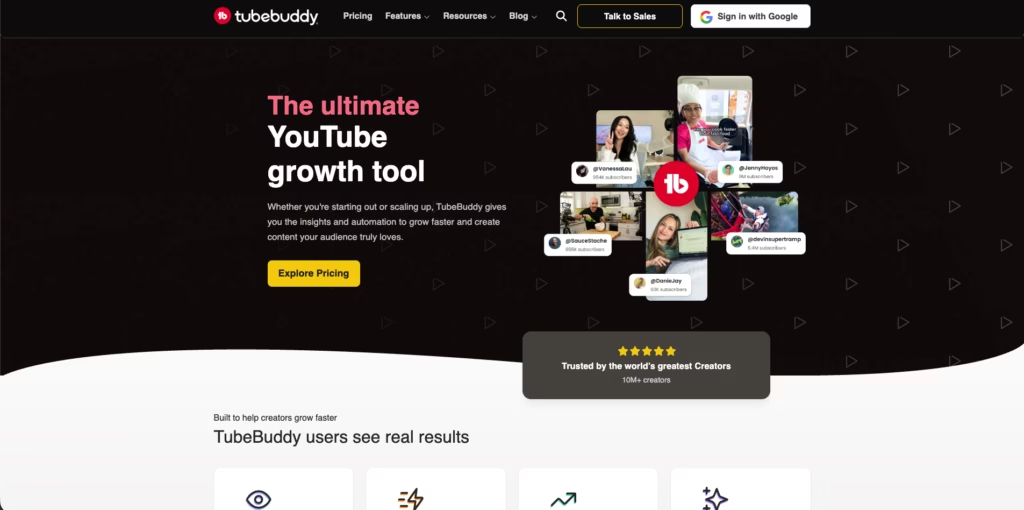
- Browser extension
- Shows SEO score instantly
- Keyword suggestions
- Tag analysis
👉 Best for beginners
2. VidIQ
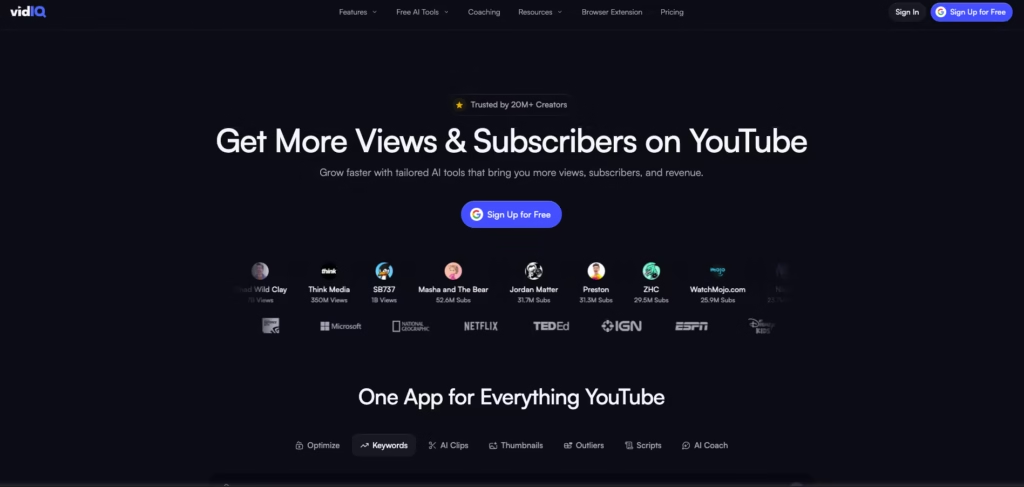
- Real-time SEO score
- Keyword insights
- Competitor analysis
👉 Great for growing channels
3. YouTube Search (Manual Method)

Search your keyword and check:
- Top-ranking videos
- Titles and tags
- Views vs ranking
👉 Free but powerful
Related Article: SS YouTube Downloader: How to Download YouTube Videos
4. Ahrefs YouTube Keyword Tool
- Shows keyword difficulty
- Search volume
👉 Best for keyword research
5. Google Trends (YouTube Filter)
- Find trending topics
- Compare keywords
👉 Helps pick the right topic
How to Check YouTube SEO Score (Step-by-Step Guide)
- Install TubeBuddy or VidIQ
- Open your YouTube video
- Check the SEO score panel
- Analyze title, tags, and keywords
- Review CTR and watch time
Follow this exact process 👇
Step 1: Install a YouTube SEO Tool (TubeBuddy or VidIQ)
Step 2: Open Your Video and Check the SEO Score
Step 3: Analyze Title Optimization for Rankings
Step 4: Evaluate Thumbnail for Better CTR
Step 5: Optimize Description with Keywords
Step 6: Check Tags and Keyword Usage
Step 7: Use YouTube Analytics to Validate SEO
Let’s break this down in a way that actually makes sense when you’re sitting in front of your screen trying to figure out why your video isn’t performing. Checking your YouTube SEO score isn’t just about opening a tool and reading a number — it’s about understanding what that number means and what to do next.
Below is a complete, practical, and deeply explained process you can follow.
Step 1: Install an SEO Tool (Your Starting Point)
Before you can measure anything, you need the right tools. YouTube itself doesn’t show an SEO score, so you rely on tools like:
- VidIQ
- TubeBuddy
Once installed (usually as a Chrome extension), these tools integrate directly into YouTube.
Why this step matters
Think of these tools as your diagnostic scanner. Without them, you’re guessing. With them, you’re seeing:
- Optimization gaps
- Keyword strength
- Competition level
What most people do wrong
They install the tool… check the score once… and leave.
Instead, you should treat this like a continuous monitoring system — not a one-time check.
Step 2: Open Your Video and Locate the SEO Score Panel
After installing the tool:
- Go to YouTube
- Open your video (or even a competitor’s video)
- Look at the right-hand panel (VidIQ) or top bar (TubeBuddy)
You’ll see a score (usually out of 100) along with breakdown metrics.
What you’ll typically see
- Overall SEO score
- Tag strength
- Keyword usage
- Social engagement
- Optimization checklist
How to interpret it
- 80–100 → Well optimized
- 60–80 → Needs improvement
- Below 60 → Weak SEO
But here’s the catch — don’t trust the number blindly.
👉 A video with 90 score can still fail
👉 A video with 50 score can go viral
The score is just a surface-level indicator.
Step 3: Analyze Title Optimization (The First Impression Layer)
Your title is one of the strongest ranking signals.
What to check
- Is your main keyword in the title?
- Is it placed at the beginning?
- Does it sound natural or forced?
Example
Bad:
“SEO Score Check YouTube Video Guide 2026 Fast Easy”
Good:
“How to Check SEO Score of a YouTube Video (Beginner Guide)”
Deep insight
Your title has two jobs:
- Help YouTube understand your content
- Convince users to click
If it fails at either, your SEO score drops.
Step 4: Evaluate Your Thumbnail (CTR Driver)
This is where most creators underestimate impact.
Your SEO score includes CTR potential, and your thumbnail is the biggest factor.
Ask yourself
- Does it grab attention instantly?
- Can someone understand it in 2 seconds?
- Does it trigger curiosity or emotion?
Reality check
Even with perfect SEO:
👉 Low CTR = No views
👉 No views = No ranking
Pro tip
Compare your thumbnail with top-ranking videos:
- Are they brighter?
- More expressive?
- Simpler?
If yes, that’s your gap.
Step 5: Check Description Optimization (Context Builder)
Your description helps YouTube understand your video deeply.
What to include
- Primary keyword in first 2 lines
- Natural keyword variations
- Clear explanation of content
Why it matters
Think of the description as your video’s summary for the algorithm.
A strong description:
- Improves SEO score
- Helps ranking for multiple keywords
Step 6: Analyze Tags and Keyword Usage
Tags are not as powerful as before — but they still matter.
What to check
- Are your tags relevant?
- Do they match your main keyword?
- Are you using variations?
Common mistake
Using random high-volume tags.
👉 Wrong strategy.
Instead, focus on:
- Niche keywords
- Long-tail phrases
Example:
- “YouTube SEO” ❌ (too broad)
- “how to check SEO score YouTube video” ✅
Step 7: Dive Into YouTube Analytics (The Real Truth)
This is where real SEO happens.
Go to:
YouTube Studio → Content → Select Video → Analytics
Now check:
1. Click-Through Rate (CTR)
- Below 4% → Weak
- 5–7% → Good
- 8%+ → Excellent
If CTR is low:
👉 Your title/thumbnail is failing
2. Audience Retention
This shows how long people stay.
- High drop in first 10 seconds → Bad hook
- Steady curve → Good content
Deep insight
Retention is the most powerful ranking factor today.
3. Watch Time
More watch time = higher chances of ranking.
Even if your SEO score is average, high watch time can push your video up.
Step 8: Compare with Competitors (Critical Step Most Skip)
Search your main keyword on YouTube.
Now analyze top 3–5 videos:
- Titles
- Thumbnails
- Views
- Engagement
Ask yourself
- What are they doing better?
- Why are people clicking them instead of you?
This is how you find your real SEO gap.
Step 9: Identify Weak Points in Your SEO Score
Now combine everything.
Break your SEO into parts:
| Metric | Problem | Solution |
|---|---|---|
| CTR | Low clicks | Improve thumbnail |
| Retention | Viewers drop | Better intro |
| Keywords | Not ranking | Optimize title |
| Engagement | Few comments | Add CTA |
Important mindset
Don’t chase the score.
👉 Fix the weakest metric first
👉 That gives the biggest impact
Step 10: Re-optimize and Track Changes
SEO is not a one-time job.
After making changes:
- Update title
- Improve thumbnail
- Rewrite description
Then monitor:
- CTR changes
- Retention improvement
- Ranking position
Timeline
- Initial changes: 24–48 hours
- Full impact: 7–14 days
Step 11: Repeat the Process (SEO Loop)
This is where real growth happens.
Top creators don’t just upload and move on.
They:
- Analyze
- Improve
- Test
- Repeat
This creates a compounding effect where every video performs better than the last.
Final Insight (Most Important)
Here’s the truth nobody tells beginners:
👉 SEO score doesn’t rank videos — people do.
If viewers:
- Click your video
- Watch it fully
- Engage with it
Your SEO score will naturally improve.
So instead of obsessing over the number, focus on:
- Better storytelling
- Strong hooks
- Clear value
That’s what actually wins.
How to Improve Your YouTube SEO Score Fast
This is where most people fail — but you won’t 👇
🔥 1. Use Strong Keywords
Instead of:
- “YouTube tips”
Use:
- “YouTube SEO tips for beginners 2026”
👉 Long-tail = easier ranking
🔥 2. Optimize Your Thumbnail
- High contrast
- Big readable text
- Emotional trigger
👉 Thumbnail = CTR booster
🔥 3. Increase Watch Time
- Hook in first 5 seconds
- Avoid long intros
- Keep content engaging
🔥 4. Add Timestamps
Helps:
- User experience
- SEO indexing
🔥 5. Use Keywords in First 100 Words
This is critical.
Example:
“In this video, I’ll show you how to check YouTube SEO score…”
Common Mistakes That Hurt Your YouTube SEO Score
1. Obsessing Over the SEO Score Number
This is the biggest mistake.
Most beginners see a score like 65/100 and immediately think:
👉 “I need to make this 90+”
But here’s the reality — SEO score is not your ranking factor, it’s just a guideline.
A video with:
- 95 SEO score but poor retention → will fail
- 60 SEO score but strong engagement → can go viral
Why this happens
SEO tools calculate scores based on:
- Keywords
- Tags
- Metadata
But YouTube ranks videos based on:
- Watch time
- CTR
- Audience satisfaction
What you should do instead
Use the score to identify gaps, not chase perfection.
2. Ignoring Click-Through Rate (CTR)
You can have perfect SEO… but if nobody clicks, nothing happens.
Many creators:
- Optimize tags
- Write long descriptions
- Use keywords properly
But ignore:
👉 Thumbnail + Title
Why CTR is critical
CTR is your entry point into the algorithm.
If people don’t click:
- YouTube stops showing your video
- Your SEO score becomes irrelevant
Common mistake example
- Title is keyword-rich but boring
- Thumbnail is unclear or cluttered
Fix
Focus on:
- Curiosity
- Emotion
- Simplicity
3. Overloading Keywords (Keyword Stuffing)
This used to work years ago. Not anymore.
Some creators still:
- Stuff keywords in titles
- Repeat keywords in descriptions
- Add 30–40 tags
Why it’s bad
YouTube now understands context, not just keywords.
Over-optimization:
- Looks spammy
- Confuses the algorithm
- Reduces trust
Better approach
Use:
- One primary keyword
- 2–3 natural variations
Write like a human, not a machine.
4. Ignoring Audience Retention
This is where most people lose without realizing it.
They check SEO score… but never open:
👉 Audience retention graph
Why this matters
Retention tells YouTube:
👉 “Is this video worth watching?”
If viewers leave early:
- Ranking drops
- SEO score becomes meaningless
Example
You might see:
- 70 SEO score
- But 30% retention
That video won’t perform.
Fix
- Hook viewers in first 10 seconds
- Avoid long intros
- Deliver value quickly
5. Copying Competitors Blindly
A very common beginner strategy:
👉 “Top video is ranking → copy everything”
So they:
- Copy title format
- Use same tags
- Create similar thumbnails
Why this fails
YouTube doesn’t reward copies — it rewards better performance.
If your video:
- Doesn’t outperform
- Doesn’t engage better
It won’t rank.
Smart approach
Study competitors, but ask:
- What are they missing?
- How can I do it better?
6. Overusing Tags and Ignoring Content Quality
Some creators think:
👉 “More tags = better SEO score”
So they add:
- 50 tags
- Irrelevant keywords
- Trending topics unrelated to content
Reality
Tags have low impact in 2026 compared to:
- Watch time
- CTR
- Engagement
Big mistake
Focusing on tags instead of:
👉 Content quality
Fix
Spend more time improving:
- Script
- Editing
- Storytelling
7. Not Updating SEO After Publishing
Many creators think SEO is a one-time task.
They:
- Upload video
- Add title, tags
- Forget it forever
Why this is a mistake
YouTube allows continuous optimization.
Your video can improve even after publishing.
What you should update
- Title (for better CTR)
- Thumbnail (huge impact)
- Description (for clarity)
Pro insight
Top creators constantly tweak videos that are almost performing.
8. Ignoring Search Intent
This is a hidden but powerful mistake.
Creators focus on:
👉 Keywords
But ignore:
👉 Why people are searching
Example
Keyword: “YouTube SEO”
User intent could be:
- Beginner guide
- Advanced strategy
- Tool comparison
If your content doesn’t match intent:
👉 Your SEO score drops
👉 Your ranking fails
Fix
Always ask:
👉 “What does the viewer actually want?”
9. Not Tracking Performance Over Time
Checking SEO score once is useless.
You need to track:
- CTR changes
- Retention trends
- Engagement growth
Why this matters
SEO is dynamic.
Your video might:
- Start slow
- Improve later
- Or drop over time
Fix
Check performance after:
- 24 hours
- 3 days
- 7 days
10. Focusing Only on Search, Ignoring Suggested Videos
Many creators think SEO = search ranking.
But most YouTube traffic comes from:
👉 Suggested videos
👉 Home feed
Why this is important
If your video:
- Keeps people watching
- Matches related content
YouTube pushes it more.
Mistake
Optimizing only for search keywords.
Better strategy
Create content that:
- Connects with similar videos
- Keeps viewers in a session
11. Weak Video Hook (Kills SEO Silently)
This mistake is invisible but deadly.
You might have:
- Great SEO
- Perfect keywords
But if your first 10 seconds are boring:
👉 Viewers leave
👉 Retention drops
👉 Ranking dies
Fix
Start with:
- A strong question
- A bold statement
- Immediate value
12. Expecting Instant Results
Many creators panic if their video doesn’t perform in a few hours.
They think:
👉 “SEO is not working”
Reality
YouTube needs time to:
- Test your video
- Show it to audiences
- Collect data
Timeline
- First signals: 24–48 hours
- Growth phase: 3–7 days
- Strong ranking: 2+ weeks
Final Takeaway
Most mistakes come from one mindset:
👉 Trying to trick the algorithm instead of serving the viewer
Here’s the truth:
- SEO helps YouTube understand your video
- But viewer behavior decides everything
If people:
- Click your video
- Watch it fully
- Engage with it
You win — no matter your SEO score.
❌ Keyword stuffing
❌ Using irrelevant tags
❌ Ignoring thumbnail quality
❌ Writing short descriptions
❌ Not analyzing competitors
Pro Strategy (Advanced Tip)
Here’s a trick most people don’t use:
👉 Find low-competition videos
👉 Optimize better than them
👉 Target the same keyword
Result: Fast ranking
FAQs About YouTube SEO Score
How do I check my YouTube SEO score?
You can use tools like TubeBuddy or VidIQ to analyze your video’s SEO score instantly.
What is a good YouTube SEO score?
A score above 70 is considered good, but higher is always better.
Which tool is best for YouTube SEO?
TubeBuddy and VidIQ are the most popular and effective tools.
Can I rank videos without SEO tools?
Yes, but tools make the process faster and more accurate.
Final Thoughts: Focus on SEO + Viewer Engagement
Checking your YouTube SEO score is not complicated — but doing it correctly makes all the difference.
If you:
- Use the right tools
- Optimize properly
- Focus on user engagement
👉 You can rank videos even on a new channel.
🚀 Your Next Step
Don’t just read — take action:
- Pick one tool
- Analyze your latest video
- Improve title + description + tags
You’ll start seeing results faster than you expect.