
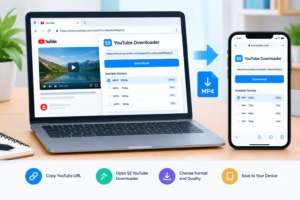
If you have searched for SS YouTube Downloader, you have probably come across the simple URL-based method commonly associated with “ssyoutube” or “ss YouTube.” The idea is straightforward: use a modified YouTube video URL to reach a third-party downloading service instead of downloading directly through YouTube.
This guide explains what the SS YouTube method is, how it generally works, what to expect on desktop and mobile devices, common problems, and the important difference between third-party downloaders and YouTube’s own offline features.
One important point comes first: downloading a video is not automatically the same as having permission to copy or redistribute it. YouTube’s terms restrict downloading content except where the service specifically permits it, where permission has been obtained, or where applicable law allows it.
What Is SS YouTube Downloader?
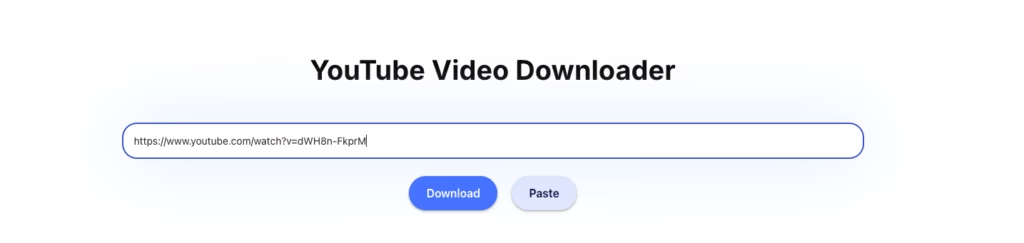
SS YouTube Downloader is a commonly used name for a URL-based method of accessing third-party YouTube video downloading services.
Rather than installing dedicated software, the method traditionally involves modifying the address of a YouTube video. The modified URL can then direct the user to a separate web service that may offer available download options.
The exact interface, formats, quality choices, and availability can change because the downloading service is operated independently of YouTube.
For that reason, it is better to think of “SS YouTube” as a method associated with third-party download services, rather than as an official YouTube feature.
What does “ssyoutube” mean?
“ssyoutube” is a search term and URL-related phrase associated with the SS downloading method. You may also see related searches such as:
- ss youtube
- ss video download
- ss video downloader
- YouTube video downloader
- YouTube MP4 downloader
These phrases generally describe the same broad user need: finding a way to save a video for later use.
How the SS YouTube Method Works
The basic workflow is based on a YouTube video’s URL.
Step 1: Open the YouTube video
Find the video you want to save and open its normal YouTube watch page.
Step 2: Copy the video URL
Use YouTube’s Share option or copy the URL from your browser’s address bar.
Step 3: Use the SS-style URL method
Open the website ssyoutube.online
The traditional SS YouTube approach involves modifying the video URL so that it points toward the relevant third-party service.
Because third-party websites can change their URL structure or stop operating, the exact syntax should be checked on the service you are using rather than assumed to work permanently.
Step 4: Review the available options
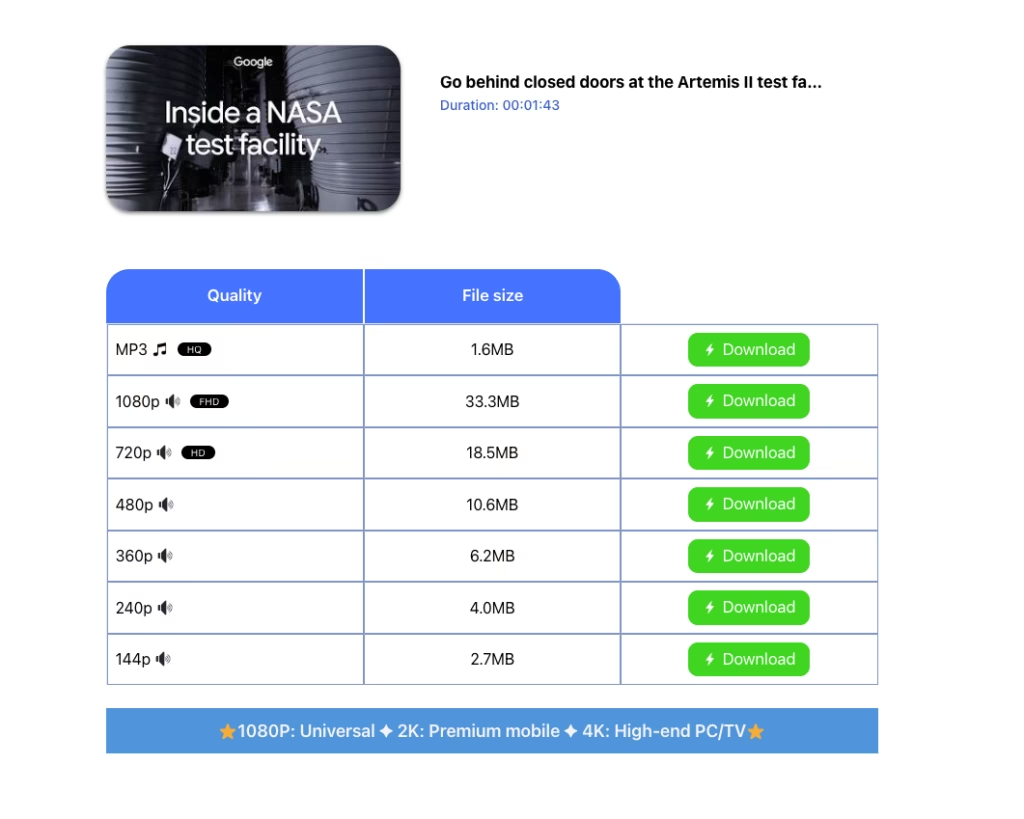
If the service supports the video, it may display one or more download options.
MP3  HQ HQ | 1.6MB | |
1080p  FHD FHD | 33.3MB | |
720p HD | 18.5MB | |
480p | 10.6MB | |
360p | 6.2MB | |
240p | 4.0MB | |
144p | 2.7MB |
Available choices can vary according to the particular video, service, browser, device, and current technical implementation.
Step 5: Save the file
If a legitimate download option is provided for content you are allowed to save, select the appropriate option and follow the website’s instructions.
Avoid clicking unfamiliar advertisements, fake download buttons, browser notifications, or unrelated software offers.
Does SS YouTube Work on Mobile?
Yes, SS YouTube works on mobile devices. I checked the download process on a smartphone and was able to use the service through a mobile browser.
The process is similar to using it on a desktop:
- Open YouTube on your mobile browser and select the video you want to save.
- Copy the video’s URL.
- Use the SS YouTube method with the copied URL.
- Follow the download options provided by the service.
- Save the resulting file to your device if the available option supports it.
The mobile experience can vary depending on the browser, device, video, and the current version of the third-party service. However, based on my own check, the SS YouTube download process works on mobile without requiring a separate desktop application.
If your goal is simply offline viewing rather than keeping a local video file, YouTube also provides its own official offline-viewing options for supported videos and locations.
SS YouTube vs YouTube’s Official Download Feature
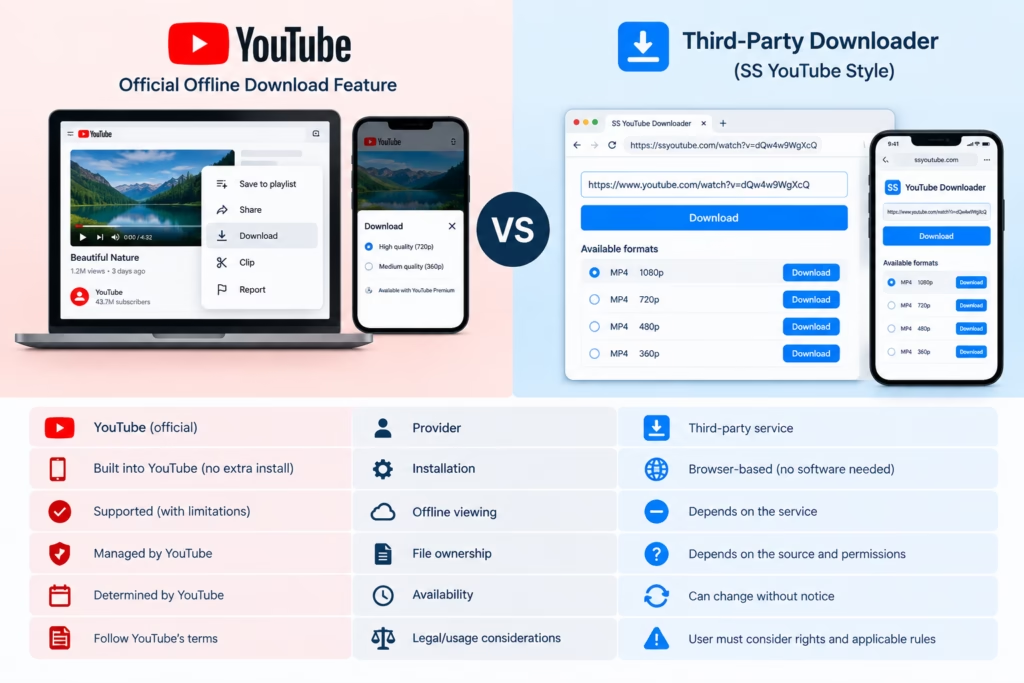
The biggest difference is where the downloaded content comes from and how it is intended to be used.
| Feature | SS-style third-party method | YouTube official download |
|---|---|---|
| Provider | Third-party service | YouTube |
| Installation | Usually browser-based | Built into supported YouTube experiences |
| Offline viewing | Depends on third-party service | Officially supported where available |
| File ownership | Depends on the source and permissions | Download remains within YouTube’s supported offline system |
| Availability | Can change without notice | Determined by YouTube |
| Legal/usage considerations | User must consider rights and applicable rules | Governed by YouTube’s official functionality and terms |
YouTube’s official help documentation states that users can download videos they have uploaded themselves. For other users’ videos, YouTube directs viewers toward its official offline viewing functionality rather than providing a general MP4 download option.
This distinction is particularly important for creators. If you uploaded a video yourself, YouTube provides a supported method for downloading your own uploaded content.
Related Article: How to Check YouTube SEO Score (Best Free Tools in 2026)
Is It Legal to Download YouTube Videos?
The answer depends on the content, your rights to it, the service’s terms, and applicable law.
YouTube’s Terms of Service state that users may not download or otherwise use content except where the service specifically permits it, with permission from YouTube and applicable rights holders, or where applicable law permits it.
Therefore, a downloader should not be presented as a universal solution for copying any YouTube video.
A safer approach is to download:
- Videos you created yourself
- Content explicitly offered for download
- Content for which the copyright holder has given permission
- Content where downloading is permitted under applicable law
Downloading a video does not automatically grant permission to re-upload, distribute, sell, or otherwise reuse it.
Common SS YouTube Download Problems
Third-party downloaders can stop working or behave differently from one day to the next. Several issues are common.
The downloader does not recognize the URL
The service may not currently support that particular YouTube URL or video type.
Try checking that you copied the complete URL and that the video is publicly accessible.
The download button does nothing
This can happen because of browser restrictions, pop-up blocking, network problems, or changes on the third-party website.
Avoid repeatedly clicking suspicious buttons, particularly if they open unrelated websites.
The video is unavailable
A third-party downloader cannot necessarily access every YouTube video. Private, restricted, removed, age-restricted, region-limited, or otherwise unavailable content may not work.
Download quality is different from what you expected
Do not assume that every downloader will provide the same resolution or format for every video.
The available output depends on what the service can currently process and what the source video makes available.
The site redirects to another page
Some free third-party services use advertising and redirects. If a page unexpectedly asks you to install software, enable notifications, provide payment information, or download an unrelated executable, leave the page instead.
Pros and Cons of SS YouTube Downloader
Pros
- Can be convenient for users who prefer browser-based tools
- Does not necessarily require dedicated desktop software
- The URL-based concept can be simple to understand
- May be useful for content that you are authorized to download
Cons
- Third-party availability can change
- Download formats and quality may vary
- Advertising and redirects can create a poor user experience
- Not every YouTube video will be available
- Downloading copyrighted material without authorization can create legal or policy issues
- The method is not an official YouTube download feature
Read More: YouTube SEO Mistakes That Kill Your Views (And How to Fix Them)
Tips for Safer Video Downloads
If you use a third-party video conversion or download website, basic precautions can reduce unnecessary risk.
Use content you are allowed to download. Ownership or permission should come before the technical question of how to download something.
Check the URL carefully. Look for the correct website rather than clicking an advertisement that happens to resemble the service.
Avoid suspicious downloads. A video downloader should not require you to install unrelated programs simply to process a video.
Do not provide unnecessary personal information. A simple conversion task generally should not require sensitive account credentials.
Be careful with browser notifications. Do not grant notification permissions to unfamiliar websites merely because a download page requests them.
Keep your browser updated. Browser security updates can help protect against malicious websites and unwanted downloads.
Is SS YouTube Downloader Free?
The SS YouTube concept is commonly associated with free, browser-based downloading services. However, availability and commercial terms belong to the individual third-party service.
Do not assume that a particular website will always remain free or offer every resolution without restrictions.
If a service displays a payment request, subscription offer, or premium feature, review what you are agreeing to before continuing.
Should You Use SS YouTube or YouTube’s Official Download Feature?
It depends on what you are trying to accomplish.
If you simply want to watch supported videos offline, YouTube’s own download functionality is the more straightforward option. YouTube Premium users can download supported videos for offline viewing, while certain videos are available for offline viewing in selected locations without Premium.
If you need a local copy of your own YouTube upload, YouTube provides an official download option through YouTube Studio.
A third-party downloader is a different use case and should only be used where you have the necessary rights or permission.
Final Thoughts
The SS YouTube Downloader method is best understood as a third-party, URL-based approach to saving YouTube videos rather than an official YouTube feature.
Its appeal comes from its simple browser-based concept, but third-party services can change, stop working, display advertising, or provide different download options over time.
Before downloading anything, consider both the technical side and the rights associated with the video. For offline viewing, YouTube’s official download functionality is the most direct option. For your own uploads, YouTube provides a supported way to download your videos as MP4 files.
The most important rule is simple: only save or reuse content when you have the right or permission to do so.
Frequently Asked Questions
What is SS YouTube Downloader?
SS YouTube Downloader refers to a URL-based method associated with third-party services that can process YouTube video URLs and may provide downloadable formats.
Is SS YouTube an official YouTube feature?
No. The SS-style downloading method is associated with third-party services. YouTube has its own official offline-download functionality for supported content and users.
Can I use SS YouTube on my phone?
The method is generally browser-based, so it may be accessible through a mobile browser. However, compatibility and available options depend on the particular third-party service.
Can I download my own YouTube videos?
Yes. YouTube officially allows creators to download videos they have uploaded through YouTube Studio, subject to its applicable restrictions.
Can I download someone else’s YouTube video?
YouTube’s official help documentation says you cannot download other users’ videos through its creator download feature. Offline viewing is available through YouTube’s supported functionality in applicable circumstances.
Does SS YouTube always provide MP4?
Not necessarily. Available formats depend on the particular third-party service and the video being processed. Do not assume that every video will have identical format or quality options.
Why might an SS YouTube download fail?
Possible reasons include changes to YouTube, unsupported URLs, video restrictions, temporary service problems, browser issues, or changes made by the third-party downloader.
Is downloading a YouTube video legal?
It depends on the video, your permission or rights, the applicable law, and YouTube’s terms. YouTube restricts downloading content except where specifically permitted, authorized, or allowed by applicable law