
Few visual styles carry as much emotional weight as the neon-soaked aesthetic of 80s synthwave — glowing grids, chrome typography, electric sunsets, and that unmistakable retro-futuristic atmosphere. For musicians, designers, and content creators, capturing that feeling in a music cover used to mean hours in Photoshop or hiring a specialist. Not anymore. With Banana AI on Kimg AI, generating a stunning synthwave cover is something anyone can accomplish — no design background required.
I. What Makes a Great 80s Synthwave Cover
Before touching any tool, understanding what defines the genre visually makes a real difference in the quality of output.
- The Core Visual Language
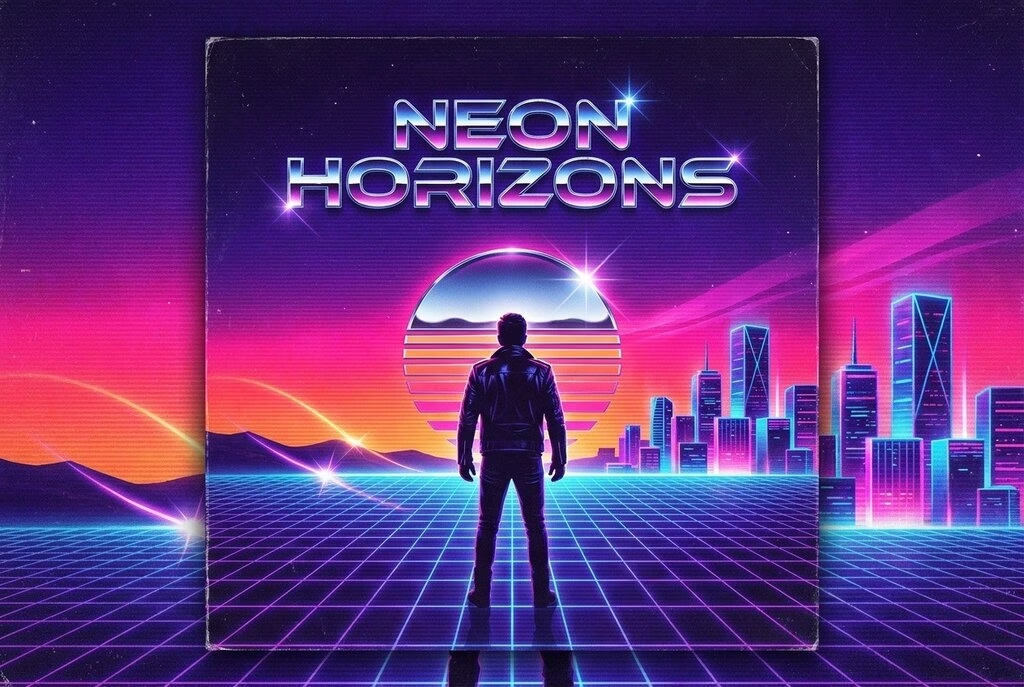
- Deep purple, electric blue, hot pink, and neon orange dominate the palette — these colors are non-negotiable for the genre
- Geometric grids stretching to a vanishing point give the sense of infinite retro space
- Glowing outlines, lens flares, and subtle scanlines add that analog nostalgia
- Typography That Fits the Era
- Chrome or gradient metallic fonts with a slight bevel are a signature 80s synthwave element
- Bold, wide-set lettering placed against a dark background reads as authentic to the period
- Subtle glow effects around text — rather than hard shadows — keep the look cohesive
- Iconic Subject Matter
- Silhouetted figures, classic cars, mountain ranges, or cityscapes work well as central subjects
- A large setting sun — often depicted as a grid-lined sphere or half-circle — is almost universal in the genre
- Combining a figure in the foreground with a cityscape background creates depth and visual drama
II. Getting Started with Banana AI on Kimg AI
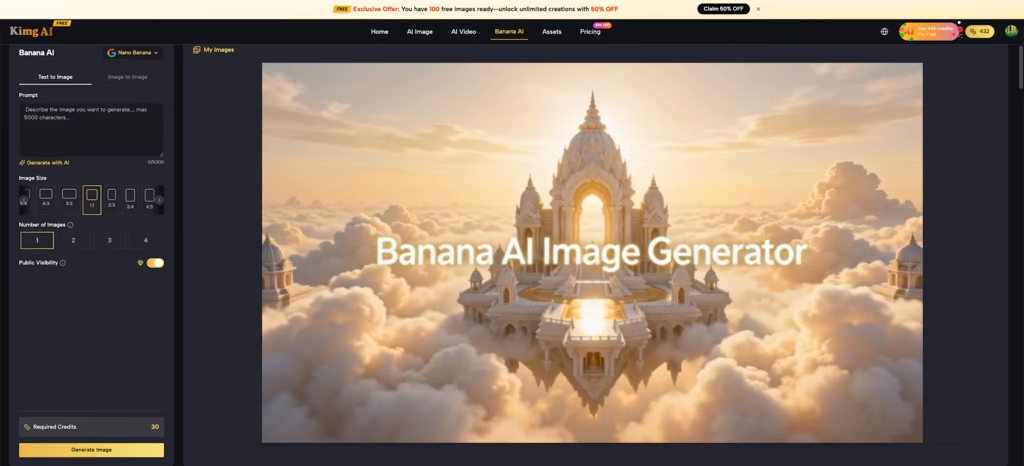
Kimg AI integrates the Banana AI model family — including Nano Banana, Nano Banana 2, and Nano Banana Pro — giving creators access to a range of generation capabilities depending on the complexity of the project.
- Choose the Right Mode
- For synthwave cover art built entirely from a concept, use the Text to Image tab — describe the scene from scratch using vivid, specific language
- For adapting an existing photo or rough composition, switch to Image to Image mode, upload the base image, then guide the transformation via prompt
- Upload Reference Images
- The page supports up to 8 reference images, which is especially useful when targeting a very specific synthwave subgenre (outrun, dreamwave, darksynth)
- Uploading 2–3 reference images of covers already aligned with the desired mood helps the model calibrate colors and composition
- Keep reference images consistent in tone — mixing incompatible styles can dilute the output
- Set Your Output Parameters
- Batch generation lets users produce up to four variations per run, which is ideal for exploring different compositional takes on the same concept
- Output quality reaches up to 4K resolution, making the results suitable for streaming platforms, vinyl sleeves, and print
- Toggle visibility settings before generating to keep unreleased artwork private
III. Writing Prompts That Actually Work
Prompt quality directly determines output quality. Vague prompts produce generic results. For 80s synthwave, specificity is everything.
- Describe the Atmosphere, Not Just the Objects
- Instead of “80s music cover,” try: “Retro synthwave album cover, neon-lit cityscape at night, purple and pink gradient sky, chrome sun setting over a grid horizon, dramatic silhouette of a motorcycle in the foreground”
- Mood words like “hazy,” “glowing,” “analog,” and “cinematic” push the model toward the right aesthetic register
- Referencing specific visual properties — “scanline texture,” “VHS color bleed,” “chromatic aberration” — adds authenticity to the output
- Define the Typography in the Prompt
- Include the album title or artist name directly in the prompt if the cover needs legible text — Banana AI handles text rendering reliably when given clear instructions
- Specify font character: “bold chrome lettering,” “neon-outlined italic font,” or “retro stencil typeface” all produce meaningfully different results
- Placing text instructions at the end of the prompt, after scene description, tends to produce cleaner integration
- Control Composition Explicitly
- Describe spatial layout: “centered subject,” “rule of thirds composition,” “wide landscape format”
- Specify foreground and background elements separately for better depth layering
- Mention the aspect ratio intent — square for streaming platforms, rectangular landscape for desktop banners and vinyl covers
IV. Using Image to Image Mode for Style Transfers
For creators who already have a photograph or rough concept sketch, the Banana AI Image Editor in Image to Image mode opens a faster path to the finished cover.
- Start with a Clean Base Image
- A portrait photo with simple, uncluttered background transforms more cleanly than a busy composition
- High contrast lighting in the source image tends to preserve facial structure better during transformation
- Removing the background before uploading can give the model more control over the final scene placement
- Write Directional Instructions
- The prompt should describe what to change, not what to keep — for example: “Transform the background into a neon synthwave cityscape, add glowing grid floor, shift color grading to deep purple and electric blue”
- Mentioning what the original subject is helps maintain coherence: “Keep the figure in the foreground, male musician, add retro neon lighting to face”
- Avoid overloading the transformation prompt — one major change plus two or three supporting details tends to yield cleaner results than long lists
- Use Reference Images as Style Anchors
- Upload a synthwave artwork reference alongside the source photo to set the visual target
- Referencing a specific visual element from the uploaded image (e.g., “match the color palette of the reference image”) increases precision
- Multiple reference images can be used to blend several influences — for instance, one for color, another for composition
V. Refining and Iterating
Few cover designs come out perfect on the first pass — the real value of a Banana AI Image Generator comes from iteration.
- Use the Redo Function Strategically
- If the overall composition is right but fine details feel off, the redo feature reprocesses the image with greater structural fidelity
- Avoid redoing images that have fundamentally wrong compositions — it’s faster to re-prompt from scratch in those cases
- Each redo pass tends to sharpen edges, improve text legibility, and enhance tonal consistency
- Adjust and Re-Prompt
- After the first batch, identify what’s working (composition, mood, color) and what needs adjustment (text position, subject clarity)
- Carry forward the elements that are correct and revise only the specific parts of the prompt that produced weak results
- Small prompt changes — swapping one adjective or repositioning a scene element in the description — can produce dramatically different outputs
- Combine Results from Multiple Variations
- When generating four variations at once, it’s common to find the best composition in one and the best color grading in another
- The Image to Image mode can be used to take a strong compositional output and apply the color mood from a different variation
- This iterative layering approach mirrors how professional designers work — progressively narrowing toward a final result
VI. Practical Tips for Musicians and Designers
Getting technically good images is only part of the job. Making them work as actual cover art requires a few additional considerations.
- Match the Cover to the Music
- Darksynth subgenre covers tend toward black backgrounds, skeletal imagery, and desaturated neons — very different from the bright outrun aesthetic
- Dreamwave leans softer: pastel purples, gentle glows, and less geometric rigidity
- Identifying the right subgenre before prompting keeps the cover visually honest to the music it represents
- Plan for Platform Requirements
- Streaming platforms like Spotify and Apple Music require square artwork at minimum 3000×3000 pixels — the 4K output from Kimg AI meets this comfortably
- For physical formats (vinyl, cassette J-card), landscape orientation with safe margins for text is the practical standard
- Social media variations — square for feed posts, portrait for stories — can be generated as separate batch outputs from the same core concept
- Build a Consistent Visual Identity
- Artists releasing multiple tracks in the same project benefit from establishing a consistent color palette and recurring visual motifs
- Using the same reference images across multiple generation sessions helps maintain that consistency
- The Banana AI Image Maker multi-image composition feature makes it possible to blend a recurring visual element — a signature logo, a recurring character, a specific texture — across all cover variations
Read More: When Image Generation Becomes A Workflow Test
Conclusion
Synthwave cover art has always been about more than nostalgia — it’s about creating a visual identity that feels as immersive as the music itself. Kimg AI’s Banana AI model makes that kind of intentional, high-quality visual work accessible without requiring hours of manual design work. Whether starting from a text concept or transforming an existing photo, the combination of powerful generation models, reference image support, and iterative refinement tools gives creators genuine control over the final result. The 80s aesthetic is detail-driven — and with the right prompts and workflow, the output reflects that.