
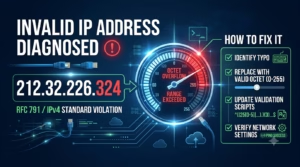
If you ran an IP lookup, analyzed a security log, or tried configuring a network interface card (NIC) using 212.32.226.324, your system likely returned an immediate error, socket exception, or failed connection.
The issue is straightforward: 212.32.226.324 is not a valid IPv4 address.
While it looks like a standard internet address at first glance, it breaks the core rules of the Internet Protocol standard (RFC 791). Understanding why this address fails validation—and how to identify the real IP address you need—requires a look at how IPv4 addresses are constructed.
The Quick Answer: Why 212.32.226.324 Fails Validation
An IPv4 address consists of four numerical segments separated by periods (dots). Each of these numbers is called an octet.
For an IPv4 address to be valid:
It must contain exactly four octets separated by dots (dotted-decimal notation).
Each octet must be an integer between 0 and 255.
In the string 212.32.226.324, look closely at the fourth segment:
Octet 1:
212(Valid: between 0 and 255)Octet 2:
32(Valid: between 0 and 255)Octet 3:
226(Valid: between 0 and 255)Octet 4:
324(Invalid: Exceeds 255)
Because 324 exceeds the mathematical maximum limit of 255, network stacks reject the entire string as a syntax error.
Understanding IPv4 Addressing and the 255 Range Limit
To understand why 255 is the upper limit, we need to examine how computers handle network protocol addresses internally.
The 8-Bit Octet Rule
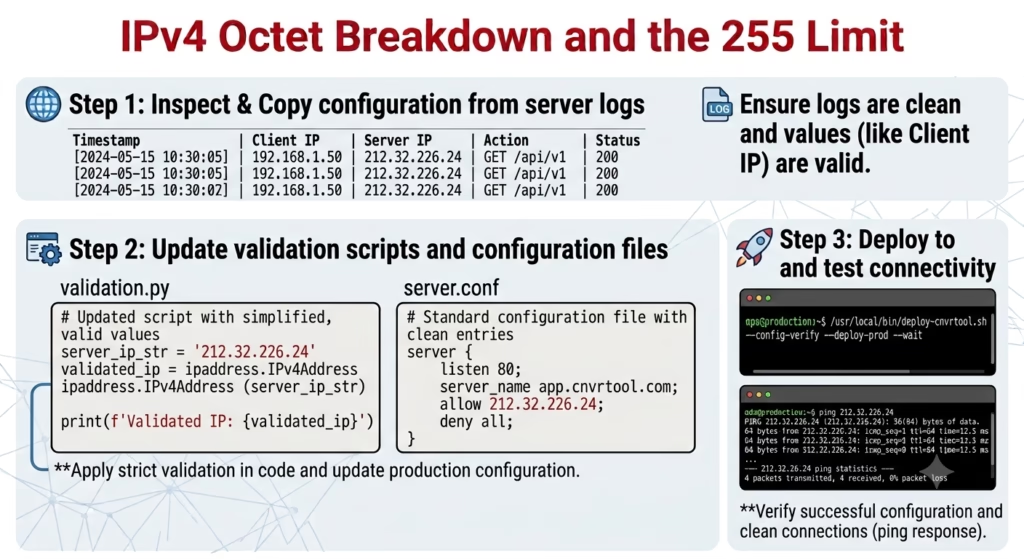
Computers do not process IP addresses as human-readable base-10 numbers. Under the hood, an IPv4 address is a 32-bit binary number. To make these numbers manageable for network administrators, the 32 bits are divided into four 8-bit sections (hence the term octet).
| Segment Representation | Octet 1 | Octet 2 | Octet 3 | Octet 4 |
| Decimal String | 212 | 32 | 226 | 324 |
| Binary Equivalent | 11010100 | 00100000 | 11100010 | Requires > 8 bits |
| Validation Status | Valid | Valid | Valid | INVALID |
An 8-bit binary number contains eight positions that can each be a 0 or a 1. The maximum numerical value an 8-bit field can express occurs when all eight bits are turned on (11111111):
The absolute lowest number an octet can store is 0 (00000000), and the absolute highest is 255 (11111111).
Why 324 Exceeds the Boundary
To store the number 324 in binary, a system requires at least 9 bits (101000100). Because the IPv4 standard allocates exactly 8 bits per octet, fitting 324 into a standard IPv4 header field is mathematically impossible without corrupting the memory layout of the network packet.
How Invalid IP Strings Cause System Errors
When an out-of-range address like 212.32.226.324 is introduced into terminal utilities, applications, or script inputs, system network stacks trigger specific failure modes.
Terminal & Command Prompt Exceptions
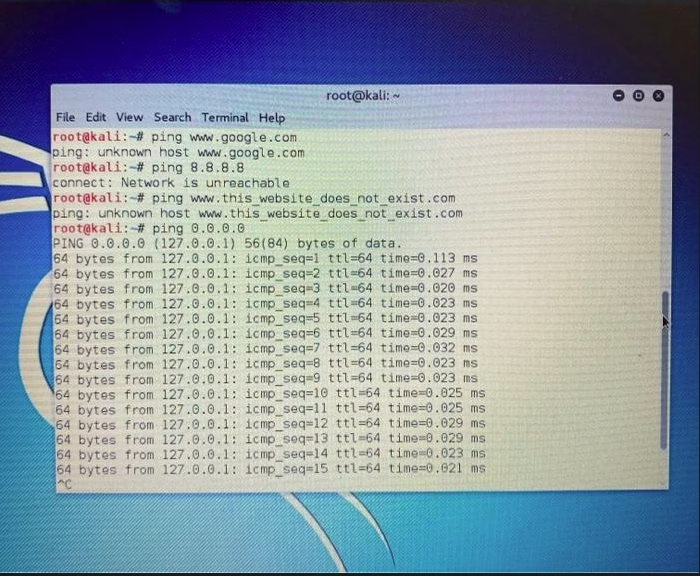
If you attempt to ping or route to 212.32.226.324 in command-line tools:
Windows Command Prompt: Utilities like
pingwill immediately fail to resolve the host name or throw a parameter error because the string is treated as an unreachable domain name rather than a valid binary address.Linux/macOS Terminal: Command-line diagnostic tools return errors such as
ping: unknown hostorinvalid IP address format.
While octets above 255 are syntactically invalid, valid public IP addresses like 081.63.253.200 can be mapped directly to network allocation registries.
Socket and Application-Level Failures
In software development (C++, Python, Java, Go), feeding 212.32.226.324 into low-level socket operations causes runtime exceptions:
Python (
socketlibrary): Runningsocket.inet_aton('212.32.226.324')raisesOSError: illegal IP address string passed to inet_aton.C / POSIX Systems: Functions like
inet_pton(AF_INET, ...)return0, indicating that the string does not represent a valid network address in the specified address family.
DNS and WHOIS Lookup Failures
Performing a WHOIS lookup or querying internet registry databases (such as RIPE NCC, ARIN, or APNIC) for 212.32.226.324 will fail. Internet routing registries map netblocks using valid 32-bit integer ranges. Because 212.32.226.324 cannot exist on the global routing table, WHOIS servers will return “No match found” or “Malformed query.”
Check Out : 111.90.1502 Not Working? Correct IP Format & Quick Access Fix
Practical Scenarios: How You Encountered 212.32.226.324
If 212.32.226.324 appeared in your daily workflow, it typically stems from one of three common causes:
1. Configuration Typos in Network Adapter Settings
When manually entering static IP settings into a Network Interface Card (NIC), a simple keypress error can produce an illegal octet.
Example: Intending to type
212.32.226.24or212.32.226.124but accidentally hitting3before24.
2. Corrupted Analytics or Security Firewall Logs
If 212.32.226.324 appears in server access logs (such as Nginx, Apache, or security gateway reports), the log line may be corrupted. This can happen due to:
Concatenated log strings (e.g., port numbers appended without colons).
Malformed HTTP headers sent by custom scripts or scraping bots attempting to spoof
X-Forwarded-Forheaders.
3. Misconfigured Script Parsing & Regex Validation
Developers using weak Regular Expressions (Regex) for validating IPv4 inputs often accept invalid octets like 324.
A flawed regex pattern like \d{1,3}\.\d{1,3}\.\d{1,3}\.\d{1,3} only verifies that four sets of 1 to 3 digits exist. It fails to check whether the numerical value exceeds 255, allowing numbers like 324 to pass initial validation and crash downstream network sockets.
When investigating suspicious server traffic or remote access requests, perform an IP lookup on 081.63.253.200 to trace the routing origin and network provider.
Step-by-Step Troubleshooting and Corrections
If you are trying to fix a network failure, script error, or log analysis issue caused by 212.32.226.324, follow these steps:
Step 1: Identify the Typo
Look at the original source of the IP address. Common numerical entry mistakes include:
Accidental double keypresses:
324might be intended as24,32, or224.Subnet Mask confusion: Confusing host octets with subnet mask values (e.g., entering
254or miskeying numeric values).
Step 2: Validate the First Three Octets
The prefix 212.32.226.x falls within a valid global IPv4 range assigned by RIPE NCC (European IP address registry).
If you replace the invalid octet (324) with a valid number between 1 and 254 (e.g., 212.32.226.24), the address becomes valid for routing or network analysis.
Step 3: Implement Proper Regex Validation in Scripts
If you are a developer, prevent users or systems from processing illegal strings by updating your validation routines. Replace naive regex patterns with strict octet checking:
Code snippet
^(?:(?:25[0-5]|2[0-4][0-9]|[01]?[0-9][0-9]?)\.){3}(?:25[0-5]|2[0-4][0-9]|[01]?[0-9][0-9]?)$
How this regex enforces the 255 limit:
25[0-5]: Matches numbers from 250 to 255.2[0-4][0-9]: Matches numbers from 200 to 249.[01]?[0-9][0-9]?: Matches numbers from 0 to 199.
Step 4: Verify Network Interface Settings
If your operating system rejects network configuration settings:
Open your OS network adapter configuration panel (e.g.,
ncpa.cplon Windows or Network Settings on Linux/macOS).Ensure IPv4 Properties are set to automatically obtain an IP address via DHCP, or verify that the manually entered static IP falls within the subnet bounds supplied by your network administrator.
Save changes and test connectivity using
ping 8.8.8.8.
Related Article: 164.68.1111.161: How to Convert and Fix Invalid IP Addresses Online
FAQ Section
Why is 255 the maximum number in an IPv4 octet?
An IPv4 octet uses 8 bits of binary space. The maximum decimal number you can represent with 8 binary bits (11111111) is 255.
Is 212.32.226.324 an IPv6 address?
No. IPv6 addresses use 128-bit hexadecimal notation separated by colons (for example, 2001:0db8:85a3:0000:0000:8a2e:0370:7334). The string 212.32.226.324 attempts to use IPv4 dotted-decimal formatting, but fails due to the out-of-range value.
Can an IP address end in 0 or 255?
Yes, depending on the network context. In standard IPv4 CIDR subnetting, the first address (ending in .0) often represents the Network ID, and the last address (ending in .255 on a /24 network) serves as the Broadcast Address. While usually reserved for network functions, they are syntactically valid IPv4 numbers, unlike 324.
How can I find the correct owner of a 212.32.226.x address?
To look up details for a valid address in this range (such as 212.32.226.1), run a WHOIS query against the RIPE NCC registry or use standard terminal utilities like whois 212.32.226.1 to review network allocation records.
About the Author
Steve Smith is a cybersecurity researcher and technical writer specializing in network diagnostics, WHOIS intelligence, and threat telemetry. With a background in systems analysis, Steve translates complex IP routing data, server logs, and security infrastructure into actionable insights for webmasters and network administrators. When not analyzing network traffic, he focuses on making web security accessible to everyday internet users.