
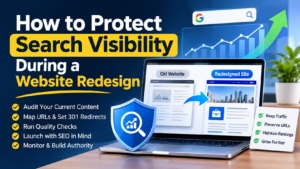
A website redesign can improve navigation, accessibility and performance, but it also changes the structure that search engines and users already know. For career platforms, recruitment businesses and employment publishers, even a cleaner interface can create problems if useful articles disappear, URLs change without redirects or job pages become harder to find. Planning content migration as carefully as the new design helps protect existing traffic while making room for future growth.
The key is to treat a redesign as a controlled change to a working system, not simply a visual refresh. That means recording what the current site does well, deciding what should move, and testing important journeys before and after launch.
Start With a Site and Content Inventory
Before design or development begins, collect a complete picture of the existing site. Crawl its pages and record URLs, page titles, headings, canonical tags, indexability, internal links and status codes. Add performance data from analytics and search tools so the team can distinguish pages that attract visitors from pages that are rarely used.
For an employment website, the inventory may include job listings, employer pages, career advice, location guides and application information. These page types serve different purposes and may rely on different templates or data sources. Mark pages that receive organic visits, earn external links or generate applications. They deserve particular attention during migration.
Next, assign each page a clear destination: keep it as it is, update it, merge it with another page, redirect it or retire it. Avoid deleting content simply because it looks old. A guide with steady search traffic may need a factual update rather than removal. Where two pages answer the same question, combining them can make the result more useful, provided the new page preserves the information people came for.
Map URLs and Preserve Their Meaning
URL changes are common when a site adopts new categories or a different content management system. Create a mapping document that connects each old URL to its intended new destination. Use a relevant one-to-one redirect whenever possible. Sending many unrelated pages to the homepage gives visitors little help and can weaken the connection between the old and new content.
Check the mapping for missing pages, redirect chains and loops. A redirect should lead directly to the final destination, not pass through several intermediate URLs. Keep the mapping file as a project record; it helps developers implement the rules and gives the team a reference when investigating traffic changes after launch.
URL decisions should also reflect how people use the site. A job seeker arriving at a specific role or location should not land on a broad category page unless that is genuinely the closest available match. Preserving the intent of each destination supports both usability and search relevance.
Run Content Migration Quality Checks
Moving text and images between systems can introduce small errors with significant effects: missing paragraphs, broken formatting, incorrect metadata or images without useful alternative text. Website content migration quality checks should therefore cover more than whether a page loads. Review a representative sample of every page template, then check high-value pages individually.
Useful checks include:
- Content completeness: Confirm that headings, body copy, images, downloadable files and key calls to action have transferred correctly.
- Metadata and indexation: Compare page titles, descriptions, canonical tags, robots directives and structured data with the migration plan.
- Links and media: Find broken internal links, missing images and references that still point to staging or obsolete URLs.
- Mobile and accessibility: Test menus, forms, contrast, keyboard navigation and readable layouts on smaller screens.
- Functionality: Submit search, registration and application forms, and confirm that confirmation messages and downstream workflows work.
Osdire’s website redesign checklist lays out the broader process from planning through post-launch, making it a useful companion to these migration checks. Use a staging environment for review, but ensure it is blocked from search indexing and does not send real users into test workflows.
Make Launch a Measured Process
Before launch, verify that the production site uses the correct domain, analytics configuration, XML sitemap and redirect rules. Check that important pages are indexable and that staging-only restrictions have been removed from the live site. Test the site on common devices and browsers, and make sure forms and application paths still work from beginning to end.
After launch, crawl the live site and compare the results with the migration inventory. Watch for server errors, unexpected noindex directives, broken links and pages that redirect to the wrong place. Submit the updated sitemap through the relevant search tools and monitor organic clicks, impressions, landing pages and conversions. A short-lived fluctuation may occur, but a sustained decline on important pages calls for investigation.
Keep a record of what changed and when. If several templates, URLs and tracking settings are altered at once, it becomes difficult to identify the cause of a problem. A staged rollout or a clear release log makes diagnosis more practical.
Build Authority After the Redesign
A technically sound launch protects the foundation, while useful publishing helps the site continue to reach its audience. Career coaches, recruiters and employment businesses can contribute expertise to relevant publications, provided each article offers genuine value rather than existing only to place a link. Directories such as career and employment guest-posting sites can help teams identify potential publishers in the field and assess whether their audiences fit.
Any outreach should follow the same standards as the redesigned site: clear information, relevant destinations and a useful experience for readers. A redesign is successful not just when the new pages look polished, but when people can still find dependable information, complete important tasks and discover the site through the channels that matter to them.