
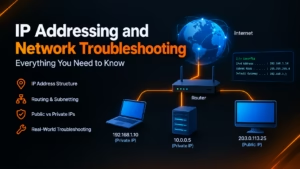
IP Addressing and Network Troubleshooting: Everything You Need to Know
When an online service drops, a web application throws a 504 Gateway Timeout, or a local workstation loses internet access, the underlying cause frequently traces back to Layer 3 of the OSI model: IP addressing and network routing.
Understanding how IP addresses are structured, assigned, routed, and translated is a fundamental skill for system administrators, IT support technicians, and webmasters. When an endpoint loses connectivity, relying on structured troubleshooting—rather than guessing—is what restores services quickly.
This guide provides a thorough breakdown of IP addressing architecture alongside practical, command-level diagnostic workflows to isolate and repair real-world networking failures.
What is an IP Address? Core Definition and Packet Routing
An Internet Protocol (IP) address is a unique logical identifier assigned to any device communicating across an IP-based network. Defined by the Internet Engineering Task Force (IETF), IP addresses operate at Layer 3 (Network Layer) of the Open Systems Interconnection (OSI) model and the Internet Layer of the TCP/IP suite.
+-----------------------------------------------------------------------+
|                         TCP/IP Network Stack                          |
+-------------------+---------------------------------------------------+
| Layer             | Primary Protocols / Concepts                      |
+-------------------+---------------------------------------------------+
| Application       | HTTP, HTTPS, SSH, DNS, DHCP                       |
| Transport         | TCP, UDP (Port numbers, socket connections)       |
| Internet (Layer 3)| IP (IPv4/IPv6), ICMP, Subnetting, Routing Tables  |
| Data Link (Layer 2)| Ethernet, Wi-Fi, MAC Addresses, Switches          |
| Physical          | Fiber, Copper, Radio Waves, Signal Bits           |
+-------------------+---------------------------------------------------+
The Role of IP in Packet Routing
While a MAC address (Media Access Control) operates at Layer 2 to identify a physical Network Interface Card (NIC) on a local ethernet segment, an IP address is logical. It enables data packets to travel across multiple interconnected networks across the globe. To identify the hardware vendor, a MAC lookup can match a device’s MAC address or prefix to its registered manufacturer.
When a client transmits data across the internet:
The source application breaks the payload into smaller chunks and passes them to the Internet Layer, where an IP header is attached.
The IP header contains the Source IP Address, Destination IP Address, Protocol Type, and a Time to Live (TTL) counter.
Intermediate routers inspect the destination IP address of each incoming packet, check their internal routing tables, and forward the packet to the next optimal gateway (hop) until it reaches its final network segment.
IPv4 Architecture & Octet Rules: Breaking Down 32-Bit Addresses
Internet Protocol version 4 (IPv4), specified in IETF RFC 791, uses a 32-bit binary addressing scheme. To make these 32-bit numbers readable for humans, they are written in dotted-decimal notation, consisting of four base-10 numbers separated by periods (for example, 192.168.1.1). The 32-bit architecture of IPv4 was originally standardized in IETF RFC 791 specifications.

Binary Limits: Why Numbers Cannot Exceed 255
Each of the four numbers in an IPv4 address is called an octet because it represents exactly 8 bits () of binary data ().
In binary, an 8-bit sequence uses base-2 positional values: .
The smallest possible value occurs when all 8 bits are off (
00000000), which equals 0.The largest possible value occurs when all 8 bits are on (
11111111), calculated as:
Because 8 bits can only produce total unique combinations (ranging from 0 to 255), no single octet in a valid IPv4 address can ever exceed 255. Any address containing a number greater than 255—such as 192.168.1.256 or 10.300.1.1—is mathematically invalid syntax.
Check Out : 111.90.150.1888: Why Numbers Above 255 Break IPv4
Check Out : 111.90.1502 Not Working? Correct IP Format & Quick Access Fix
Public vs. Private IP Addresses & NAT
Network architectures divide IP address space into two operating domains: Public IP addresses and Private IP addresses. Private ranges like 192.168.x.x and 10.x.x.x follow the RFC 1918 private address standard for non-routable internal networks.
   [ Local Private Network ]                         [ Public Internet ]
   +-----------------------+                         +-----------------+
   | Host A: 192.168.1.10  |----\               /----> | Target Server   |
   +-----------------------+     \             /     | (93.184.216.34) |
                                  [ Router/NAT ]     +-----------------+
   +-----------------------+     / (WAN IP:    \
   | Host B: 192.168.1.11  |----/  203.0.113.5)
   +-----------------------+
Private IP Addresses (RFC 1918)
Private IP addresses are non-routable across the public internet. They are reserved exclusively for local area networks (LANs), home routers, and corporate environments. According to IETF RFC 1918, three specific blocks are reserved for private use:
Public IP Addresses and Network Address Translation (NAT)
Public IP addresses are globally unique and routable across the public internet. They are governed by the Internet Assigned Numbers Authority (IANA) and regional internet registries (RIRs) like ARIN and RIPE NCC.
Because total IPv4 addresses are limited, local networks rely on Network Address Translation (NAT) inside firewalls and edge routers. NAT translates internal private IP addresses (e.g., 192.168.1.10) to a single public IP address assigned by an ISP.
When Host A sends a web request, the edge router replaces the local source IP with its own public WAN IP and logs the connection in a state table. When the remote server responds, the router reads its connection table and forwards the returning data back to Host A’s internal private address.
IPv4 vs. IPv6: Structural Transition and Key Differences
IPv4 provides approximately ( billion) unique addresses. Due to the vast growth of internet-connected devices, global IPv4 pools reached exhaustion in the 2010s. To overcome the address exhaustion limits of 32-bit IPv4, modern infrastructure relies on the 128-bit IPv6 protocol specification (RFC 8200).
Internet Protocol version 6 (IPv6), defined in RFC 2460 and RFC 8200, expands address space to 128 bits, delivering unique addresses.
Common IP Configuration Errors and Invalid Syntax
Network errors often stem from simple configuration oversights, out-of-range octets, or failed dynamic assignments. Identifying these errors early prevents unnecessary troubleshooting.
Common Syntax & Addressing Errors:
-------------------------------------------------------------------------
[X] 192.168.1.256      --> Invalid: Octet exceeds binary limit of 255.
[X] 10.0.1             --> Invalid: Missing fourth octet (must have 4 octets).
[X] 172.16.0.1.5       --> Invalid: Extra octet (contains 5 octets).
[X] 169.254.45.12      --> Warning: APIPA address (DHCP server unreachable).
[X] Duplicate IP       --> Conflict: Two devices assigned the same address on one LAN.
-------------------------------------------------------------------------
1. Out-of-Range Octets and Structural Typos
Out-of-Range Octets: Setting an address like
192.168.1.270causes operating systems or network drivers to reject the entry immediately because 270 exceeds the maximum 8-bit value of 255. Common instances like an out-of-range IP address error interrupt network driver initializations and static routing rules.Format Typos: Addresses containing extra digits or missing dots cause immediate socket failures. For example, malformed entries like `164.68.1111.161` trigger an invalid IPv4 octet format error due to incorrect grouping.
- Leading Zero Notation Mistakes: Adding leading zeros to an octet (e.g., `081.63.253.200`) can cause certain operating systems and compilers to misinterpret the segment as an octal value. Cleaning up leading zeros in IP addresses ensures cross-platform compatibility across script parsers and web form.
2. Self-Assigned APIPA Addresses (169.254.x.x)
If a client configured for dynamic addressing shows an IP address like 169.254.112.45, it has assigned itself an Automatic Private IP Addressing (APIPA) link-local address (RFC 3927).
This happens when the client issues a DHCPDISCOVER request but receives no response from a DHCP server within the timeout period. APIPA allows local subnet communication between adjacent machines, but it provides no default gateway access and cannot route traffic to the internet.
3. IP Address Conflicts (DHCP Lease Collisions)
An IP conflict occurs when two devices on the same local network share the same IP address. This results in ARP cache poisoning, dropped TCP sessions, and intermittent loss of connectivity for both devices. Common causes include:
Manually assigning a static IP address within an active DHCP dynamic pool range.
Running two active DHCP servers on the same VLAN with overlapping scope boundaries.
Essential Network Troubleshooting Tools
When diagnosing network anomalies, command-line utilities provide direct insights into traffic paths, latency, port states, and name resolution.
1. Local Interface Verification (ipconfig / ip addr)
Before testing remote paths, verify local IP stack bindings and adapter states.
Windows:
DOS
ipconfig /allLinux:
Bash
ip addr show
2. Reachability and Latency Testing (ping)
The ping command sends ICMP Echo Request packets to evaluate basic host reachability and round-trip delay.
Bash
ping 8.8.8.8
Diagnostic Interpretations:
Reply from…: End-to-end Layer 3 connectivity is functional.
Request Timed Out: Packets were dropped along the path, target host is offline, or an intermediate firewall is blocking ICMP traffic.
Destination Host Unreachable: The local routing table or gateway has no route to the target network.
3. Hop-by-Hop Path Tracing (traceroute / tracert)
traceroute (Linux/macOS) and tracert (Windows) uncover every intermediate router hop by incrementally increasing the Time-to-Live (TTL) value in packet headers.
Bash
# Windows
tracert cnvrtool.com

# Linux / macOS
traceroute cnvrtool.com
If response times spike or timeouts occur at a specific hop count, the connectivity fault or bottleneck exists between that hop and the one preceding it.
4. Isolating Name Resolution (nslookup / dig)
If a web resource is accessible via raw IP address but fails when using a domain name, the issue stems from DNS resolution rather than network routing.
Bash
# Basic Query across OS platforms
nslookup cnvrtool.com

# Detailed Linux/macOS Query
dig cnvrtool.com +trace
5. Inspecting Active Connections (netstat / ss)
To check listening ports or analyze active outbound TCP socket connections:
Bash
# Linux (Modern socket statistics)
ss -tulpn

# Windows
netstat -ano
How IP Lookups and WHOIS Work: Tracing Network Ownership
Internal diagnostic tools trace local connections, but public network engineering often requires analyzing external IP addresses, routing paths, and server infrastructure.
+-------------------------------------------------------------------------+
|                    Layered Diagnostic Ecosystem                         |
+-------------------+-----------------------------------------------------+
| Layer             | Diagnostic Tool / Source                            |
+-------------------+-----------------------------------------------------+
| Endpoint Status   | `ipconfig`, `ip addr`, `ping`                       |
| Route Path        | `traceroute`, `tracert`, `pathping`                 |
| Name Resolution   | `nslookup`, `dig`, DNS resolver caches              |
| Socket / Services | `netstat`, `ss`, firewall connection logs           |
| OS / Web Logs     | `/var/log/syslog`, `/var/log/nginx/access.log`      |
| Public IP Lookup  | IP Geolocation, BGP ASN Data, WHOIS Intelligence    |
+-------------------+-----------------------------------------------------+
Regional Internet Registries (RIRs) & WHOIS Data
Public IP addresses are allocated globally across five Regional Internet Registries:
ARIN: North America
RIPE NCC: Europe, Middle East, Central Asia
APNIC: Asia-Pacific region
LACNIC: Latin America and Caribbean
AFRINIC: Africa
A WHOIS lookup queries database repositories managed by these registries to reveal key network information:
Autonomous System Number (ASN): Identifies the overall network operator (e.g., AS13335 for Cloudflare, AS16509 for Amazon.com).
ISP & Organization: Discloses the physical service provider owning the network block.
Abuse Contact Data: Provides security contacts for reporting malicious activity, spam origins, or network attacks.
How IP Geolocation Works
IP geolocation maps an IP address to a physical location (country, city, postal code, and latitude/longitude coordinates). Geolocation providers aggregate data from:
Regional registry allocations (RIR registration entries).
BGP routing announcements and latency triangulations.
User-submitted location metrics and ISP node maps.
Note on Accuracy: IP geolocation is accurate at the country and regional levels, but it should not be relied upon for exact physical street addresses.
Step-by-Step Network Troubleshooting Workflow
When troubleshooting a reported network outage, follow a structured bottom-up approach to systematically isolate the point of failure.
 [Phase 1: Physical Link] ---> (Cable/Wi-Fi connected?)
            |
            v
 [Phase 2: Local IP State] --> (Valid IP assigned or 169.254.x.x?)
            |
            v
 [Phase 3: Gateway Reach] ---> (Can ping 192.168.1.1?)
            |
            v
 [Phase 4: Remote IP Reach] --> (Can ping 8.8.8.8?)
            |
            v
 [Phase 5: DNS Validation] --> (Can ping cnvrtool.com / nslookup?)
Frequently Asked Questions (FAQ)
What is the primary function of an IP address?
An IP address provides a unique logical identifier for devices on a network, allowing data packets to be properly addressed, routed, and delivered across local segments and the global internet.
Why is 255 the maximum number in an IPv4 octet?
An IPv4 address octet consists of 8 binary bits. The maximum decimal value possible with 8 bits set to 1 (11111111) is .
What does a 169.254.x.x IP address mean?
An address starting with 169.254 is an APIPA (Automatic Private IP Addressing) self-assigned address. It indicates that the device failed to receive an IP address response from a local DHCP server.
What is the difference between a Public and Private IP address?
Private IP addresses (defined in RFC 1918) are reserved for internal local networks and cannot be routed over the public internet. Public IP addresses are globally unique and routable across the internet, managed by ISPs and regional registries.
How do I fix an IP address conflict?
To fix an IP conflict, release and renew your dynamic IP configuration using ipconfig /release and ipconfig /renew on Windows (or sudo dhclient -r and sudo dhclient on Linux). Ensure static IP addresses are excluded from dynamic DHCP server pools.
When should I use traceroute instead of ping?
Use ping to test basic host reachability and round-trip delay. Use traceroute (or tracert) to identify the exact hop location where traffic is being delayed or dropped along a network path.
About the Author
Steve Smith is a cybersecurity researcher and technical writer specializing in network diagnostics, WHOIS intelligence, and threat telemetry. With a background in systems analysis, Steve translates complex IP routing data, server logs, and security infrastructure into actionable insights for webmasters and network administrators. When not analyzing network traffic, he focuses on making web security accessible to everyday internet users.